The migration war room looks calm. Dashboards are green, the import job has finished, and executives are ready to move on. Then someone notices that the regional pipeline total is wrong. The records exist, but a country code was converted into a full country name, one owner field landed in the wrong format, and a renamed status value stopped a downstream workflow from firing.
That's field mapping in practice. It isn't a translation spreadsheet that someone completes before the technical work begins. It's the control layer that determines how CRM records, integrations, automations, revenue reports, and AI tools behave after the data moves. A clean database migration depends as much on explicit field rules as it does on the migration platform itself. For broader context on migration planning and execution, this database migration guide 2026 is a useful reference point.
The Hidden Layer Behind Every Clean CRM Migration
The most expensive mapping errors rarely look dramatic on cutover day. A failed import is visible. A field that imports successfully with the wrong meaning is much harder to detect.
Suppose a legacy CRM stores Territory as free text, with values such as “North America,” “NA,” and “US.” The target CRM expects a controlled territory field used by routing, forecasting, and regional dashboards. Every record can load without an error, yet the system now contains several representations of the same business concept. Reports split the pipeline. Routing rules miss records. Marketing audiences exclude accounts that should qualify.
That's why field mapping belongs in system design, not only in migration operations. Each row determines what a downstream consumer can safely assume. Marketing automation may expect a lifecycle value. A business intelligence model may require a normalized date. An AI classifier may interpret a free-text industry description differently from a controlled category.
The Migration Decision that Nobody Sees
The mapping document sits between business meaning and technical implementation. It tells the source-system owner what the old field means, the target-system owner where that meaning should live, and the integration team how to transform it without losing context.
A weak mapping row might say:
Lead_Status__c → Lifecycle Stage
A useful row says:
- Source:
Lead_Status__c - Target:
Lifecycle Stage - Transformation: Convert “Marketing Qualified” to the approved target value, route blank values to review
- Owner: Revenue Operations
- Acceptance test: Every migrated record has an approved lifecycle value or a documented exception
The second version protects the systems that read the field later. It also creates an audit trail when someone asks why a report changed after migration.
Practical rule: If a field affects routing, reporting, automation, or scoring, its mapping needs an owner and an acceptance test before anyone loads production data.
Field mapping should therefore be treated as a downstream protection mechanism. The question isn't only whether the record arrived. The question is whether every system that depends on that record can still interpret it correctly.
What Field Mapping Actually Means in a CRM Stack
Field mapping is the explicit rule that determines how a value in a source system lands in a target system. The source might be Salesforce, HubSpot, an ERP, a spreadsheet, or an integration payload. The target might be a CRM object, a marketing platform, a warehouse table, or an analytics model.
A reliable mapping definition includes more than source and target names. It documents the data type, transformation, conditions, ownership, and validation method. Oracle's integration documentation makes the mechanics clear: a target is a field in the target component, while the source can be a constant, map argument, source field, or another addressable component, including a query expression built from those elements. That flexibility is what turns a mapping into a business rule rather than a simple copy operation.
Four mapping types that appear in real CRM work
| Mapping Type | Definition | When to Use | B2B Example |
|---|---|---|---|
| Direct mapping | Copies a value from a source field to a matching target field | The schemas and meanings align | Account.Industry to Company.Industry |
| Transformed mapping | Changes format, structure, or value before loading | The target expects a different representation | Split Full Name into First Name and Last Name |
| Constant mapping | Supplies a fixed value when the source is blank or unavailable | A target field needs a controlled default | Set blank Lead Source values to Web |
| Conditional mapping | Applies different outcomes based on record attributes | The target behavior depends on geography, segment, or status | Route US accounts to the US pipeline and other accounts to Global |
Direct mapping is the easiest to review, but it still needs confirmation that the two fields mean the same thing. A field called Status might represent sales stage in one system and customer health in another.
Transformed and conditional mappings deserve special attention because they encode interpretation. They should live in a versioned mapping document, not only inside an import wizard or an undocumented script. Include standard, custom, hidden, and deprecated fields. Every row should state its destination, owner, transformation, and treatment for blanks or invalid values.
This discipline matters in specialized systems too. For example, a platform with their student management feature may use fields whose operational meaning differs from a general-purpose CRM. The target schema needs to be understood before anyone assumes that similarly named fields are interchangeable.
Core Mapping Strategies and When to Use Each
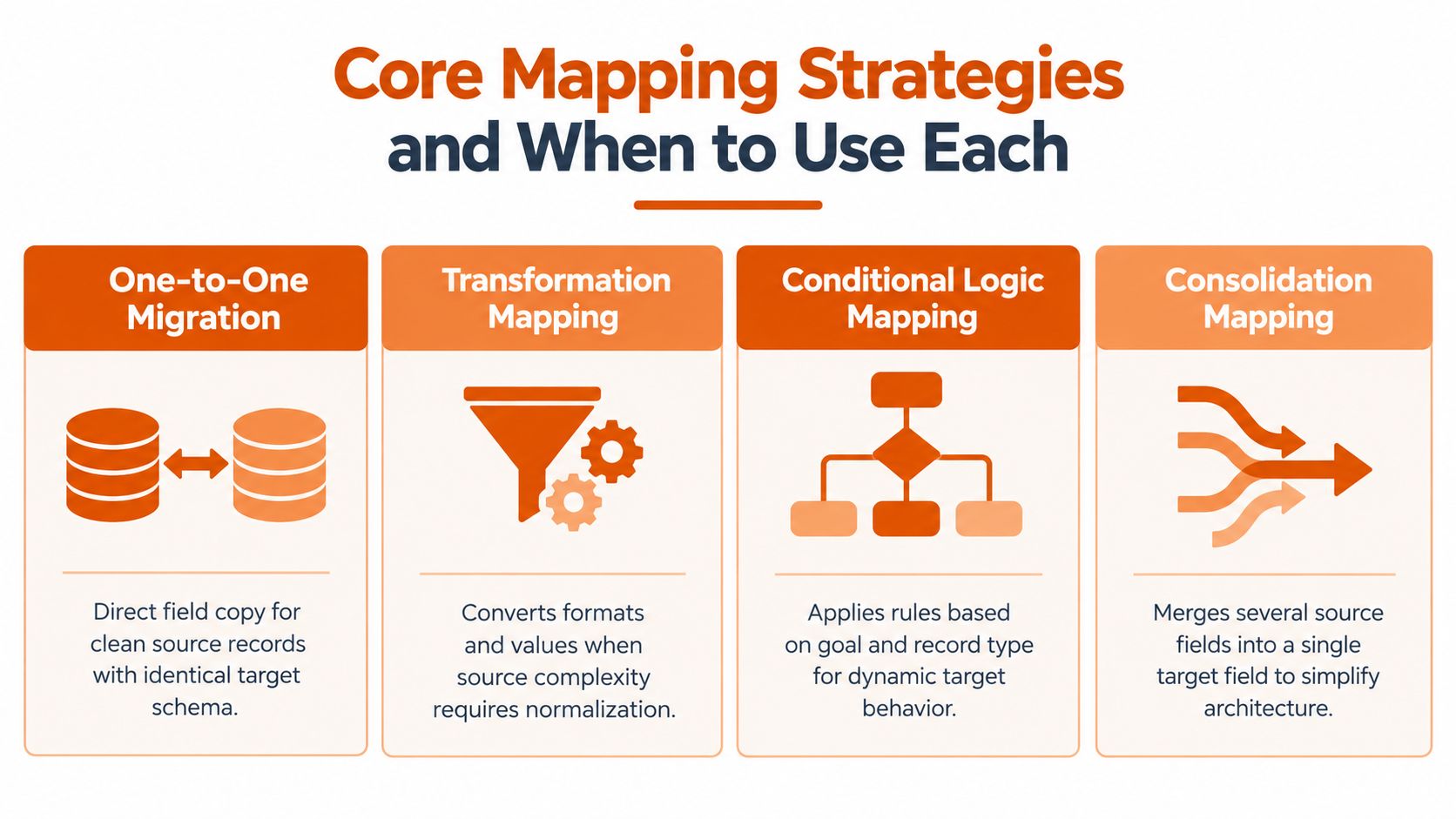
The right strategy depends on the relationship between systems, not on the convenience of the migration tool. A clean source with stable identifiers may need a simple one-to-one approach. A fragmented legacy environment may require consolidation, deduplication, and explicit ownership rules before records can enter the target.
Choose the pattern that matches the system relationship
One-to-one migration works when each source record has one clear target record and the schemas are broadly aligned. It minimizes transformation overhead, but it can carry source-system weaknesses directly into the new CRM. Use it for a controlled cutover, not as an excuse to skip profiling.
Many-to-one consolidation brings multiple source records into a single target record. It's useful when legacy systems contain duplicates or when regional databases need to become one account object. The main risk is identity collision. Without a survivorship rule, teams may combine conflicting owners, addresses, or lifecycle values and create a record that nobody trusts.
One-to-many fan-out sends one source record to multiple destinations. An account might feed the CRM, marketing platform, customer success tool, and warehouse. This pattern requires clear field ownership and consistent identifiers. Otherwise, each destination develops a slightly different version of the customer.
Bidirectional sync supports live operations, but it introduces loop risks and conflict resolution. If both systems can update the same field, the mapping must define which system wins, how timestamps are compared, and what happens when values disagree.
Ask three questions before selecting a pattern:
- Is this a one-time cutover or a live integration?
- Are the source and target IDs stable?
- Which system owns the truth for each field?
The answers connect directly to business outcomes. One-to-one migration can preserve reporting continuity. Consolidation can simplify account analytics but endanger attribution if duplicate identities are unresolved. Fan-out supports coordinated automation, while bidirectional sync can create operational resilience or silent update loops.
Planning Your Mapping Document Before Cutover
Treat the mapping document as a contract between source owners, target owners, and downstream consumers. It should be specific enough that an engineer can build from it and a RevOps lead can challenge the business logic.
Start with a complete source inventory. Include field names, types, sample values, null behavior, relationship references, and whether the field is actively used. Profiling should identify blank values, orphaned relationships, duplicate identifiers, inconsistent picklists, and fields that look similar but carry different meanings.
Build each row for review, not decoration
A practical row should contain:
- Source field: Exact object and field name
- Source type: Text, picklist, date, currency, number, relationship, or other applicable type
- Target field: Exact destination object and property
- Target type: The target system's expected format
- Transformation rule: Plain-English logic, including defaults and exclusions
- Owner: A named person or accountable team
- Acceptance test: The condition that proves the row worked
- Downstream consumers: Reports, workflows, integrations, or models that depend on it
Keep this document in a version-controlled repository, not in an email thread. The CRM migration checklist provides a useful companion for organizing dependencies, ownership, and cutover controls.
Sequence the work around dependencies
Move reference data before transactional records. Required picklist values must exist before contacts or accounts that use them are loaded. Parent records should be available before child records, and lookup tables should be tested before a transformation depends on them.
Set a freeze date before cutover by at least one sprint. During the freeze, field additions, picklist changes, automation edits, and ownership changes require explicit approval. Without that boundary, the mapping document describes one schema while the migration runs against another.
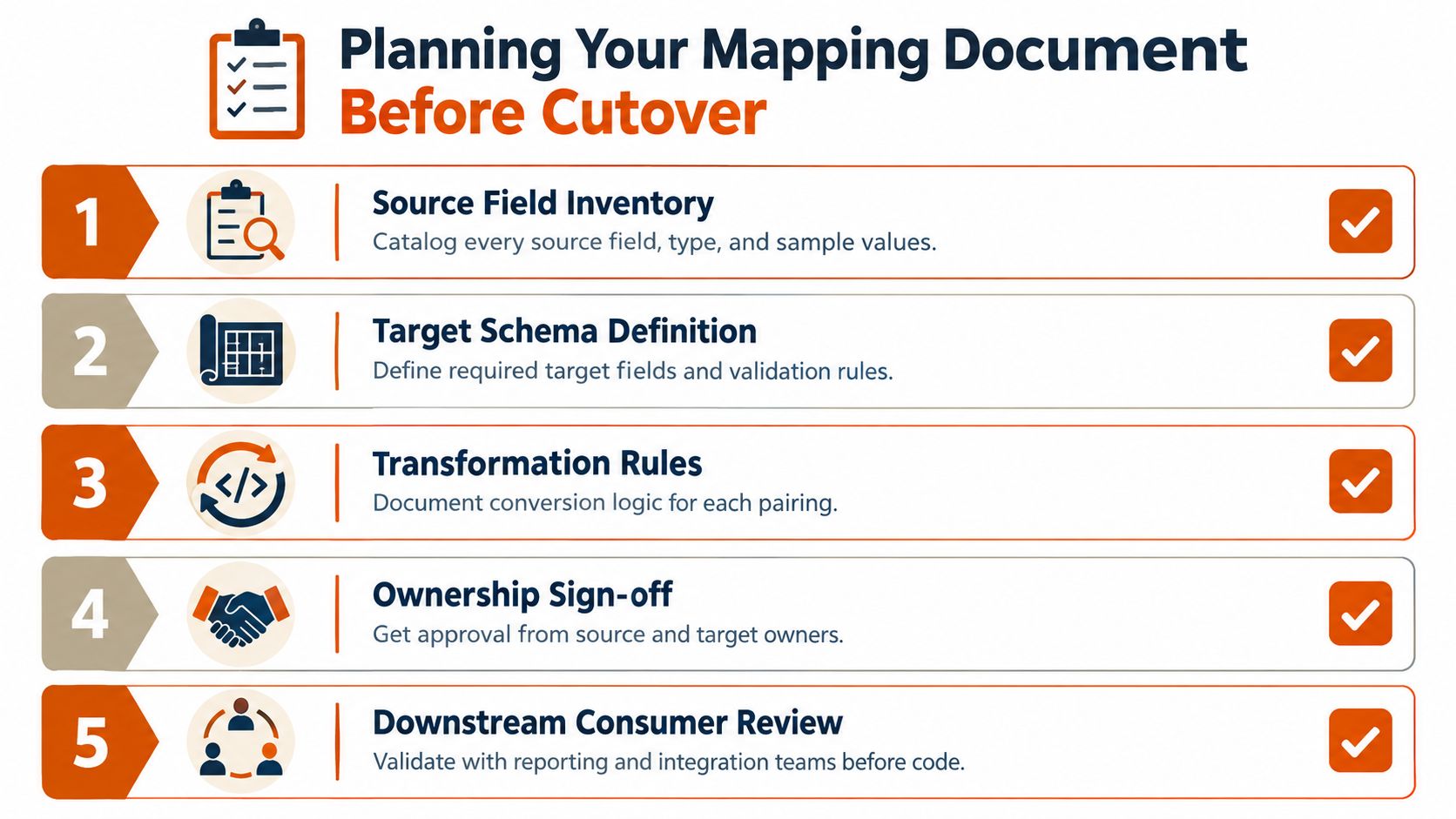
A rollback path belongs in the plan as well. Define whether the team will restore the target, disable automations, reload corrected records, or return users to the source system. A migration isn't ready because the import script works. It's ready when the team knows how to detect, contain, and reverse a bad result.
Two Real-World Mapping Scenarios You Can Reuse
The most useful mapping documents read like deployable artifacts. They show what happens to a value, who owns the decision, and how the team will prove that the result is correct.
The first example is a Salesforce-to-HubSpot account and contact migration. Account.Name maps to the HubSpot company name through a direct copy, while Account.Industry requires value remapping because the source and target picklists don't align. A custom Lead_Status__c field becomes the HubSpot lifecycle stage through conditional logic. Industry_Detailed__c moves into a multi-line property, with a documented truncation rule for values that exceed the target field's limit.
The second example is a HubSpot-to-Marketo Engage contact sync. Email serves as the join key, but only after normalization rules remove accidental spacing and standardize comparison behavior. The HubSpot owner maps to a Marketo partition through a lookup table, and recent form submissions become a custom interest string consumed by nurture programs.
| Source field | Target field | Transformation | Owner | Validation |
|---|---|---|---|---|
Salesforce Account.Name |
HubSpot company name | Direct copy, preserve approved punctuation | CRM administrator | Compare source and target names for the migrated account sample |
Salesforce Account.Industry |
HubSpot industry | Remap source picklist values to approved target values | RevOps | Every nonblank value matches the target vocabulary |
Salesforce Lead_Status__c |
HubSpot lifecycle stage | Apply conditional rules for approved status outcomes | Marketing Operations | Confirm each status produces the intended lifecycle stage |
Salesforce Industry_Detailed__c |
HubSpot multiline property | Preserve text and apply documented truncation behavior | Data steward | Review long values and confirm no critical meaning is lost |
| HubSpot contact email | Marketo Engage email | Normalize and use as the record join key | Integration owner | Confirm one intended contact relationship per normalized email |
| HubSpot owner | Marketo Engage partition | Resolve through an approved owner lookup table | CRM administrator | Test known owners, missing owners, and retired owners |
| Recent HubSpot form submissions | Marketo custom interest string | Convert selected submissions into a standardized string | Marketing Operations | Confirm nurture programs receive only approved interest values |
The row-level detail matters because the transformation may be correct while the ownership decision is wrong. If no one owns the lookup table, a new salesperson or retired region can break the sync without changing the integration code.
Why Bad Mapping Breaks Everything Downstream
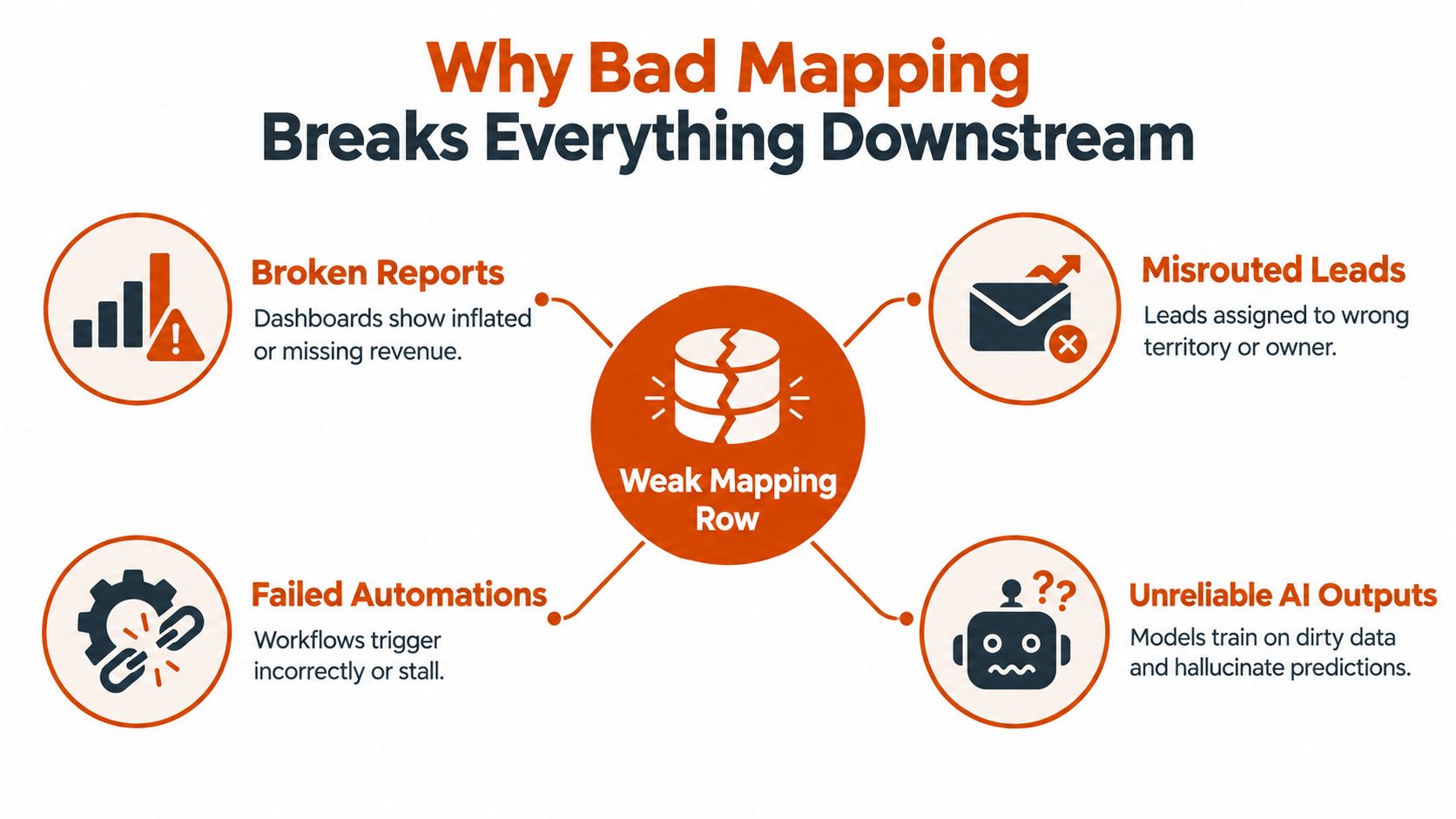
Teams often describe mapping as translation because translation sounds neutral. In a CRM, mapping is closer to dependency design. A weak row changes the meaning that reports, workflows, routing engines, and AI systems consume.
A country code stored as a full country name can break geographic segmentation when the report expects controlled codes. A date stored as text can prevent quarterly cohort reporting from recognizing the value as a date. A free-text industry field can introduce inconsistent descriptions into lead scoring. A misaligned owner field can route a high-intent inbound lead to a dormant SDR.
One bad value can create several failures
The same field often feeds multiple decisions. A lifecycle value may control a marketing suppression rule, a sales handoff, a dashboard filter, and a machine-learning feature. If the mapping produces an invalid or ambiguous value, each consumer may fail differently.
- Reporting failure: Revenue dashboards omit or misclassify records.
- Routing failure: Territory and owner rules send leads to the wrong queue.
- Automation failure: Workflows trigger too early, too late, or not at all.
- AI failure: Classification and scoring systems receive inconsistent inputs.
AI-assisted classification, predictive scoring, and real-time decisioning don't repair weak schemas automatically. They read the mapped fields available to them. Mapping debt therefore becomes model debt, because inconsistent inputs make later recommendations harder to interpret and govern.
For teams reviewing broader data-quality controls, these data hygiene best practices are relevant because field mapping and data hygiene reinforce each other. A clean target schema can still degrade if integrations continue writing uncontrolled values.
The impact opportunity is practical. Strong mapping protects revenue reporting, lead routing, automation reliability, and future model performance without requiring every downstream team to build its own interpretation layer.
Validation and Testing Rules That Catch Errors Early
Testing should happen in stages, with different checks at each stage. A small pilot exposes structural errors. A broader sample reveals format and value drift. Full-volume reconciliation confirms that the migration preserved the population and relationships.
Use staged evidence instead of one final import check
| Stage | Sample Size | Key Checks | Acceptance Threshold |
|---|---|---|---|
| Structural pilot | 1% sample | Object relationships, required fields, field types, basic transformations | No unresolved structural mapping errors |
| Expanded validation | 10% sample | Picklist alignment, dates, currencies, ownership, parent-child relationships | Exceptions are classified and corrected before expansion |
| Full reconciliation | Full data volume | Record counts, automated comparisons, hash totals, sampled spot checks | Any discrepancy greater than 0.1% requires investigation before go-live, as specified by HubSpot's CRM migration guidance |
The 1% and 10% pilot stages are operating controls for a cautious rollout, not universal guarantees. Use the first stage to find schema mistakes before they spread, then use the expanded sample to test value-level behavior across more record types.
For the full run, reconcile counts by object and relationship. The migration guidance linked above also recommends manual comparisons of 50 to 100 records per object type, alongside automated comparisons and user acceptance testing. Those manual reviews should include RevOps, sales operations, marketing operations, and reporting owners, not only IT.
Test the fields that quietly change meaning
Review required-field presence, controlled vocabulary alignment, date and currency formats, parent-child relationships, and ownership routing. Use side-by-side source-versus-target diffs, hash totals, and automated test scripts in Salesforce Data Loader, Workbench, or Snowflake-to-CRM ETL jobs.
For CRM field mapping, one practical guide recommends validating every mapping decision against a 100-record test sample and checking text, picklist, date, currency or number, and relationship fields. That rule is especially useful when a migration contains many custom properties because a field can pass a technical load while still failing business interpretation.
Acceptance evidence should answer one question: Can the downstream owner use the migrated value without manually correcting it?
AI-Assisted Mapping and What to Do This Week
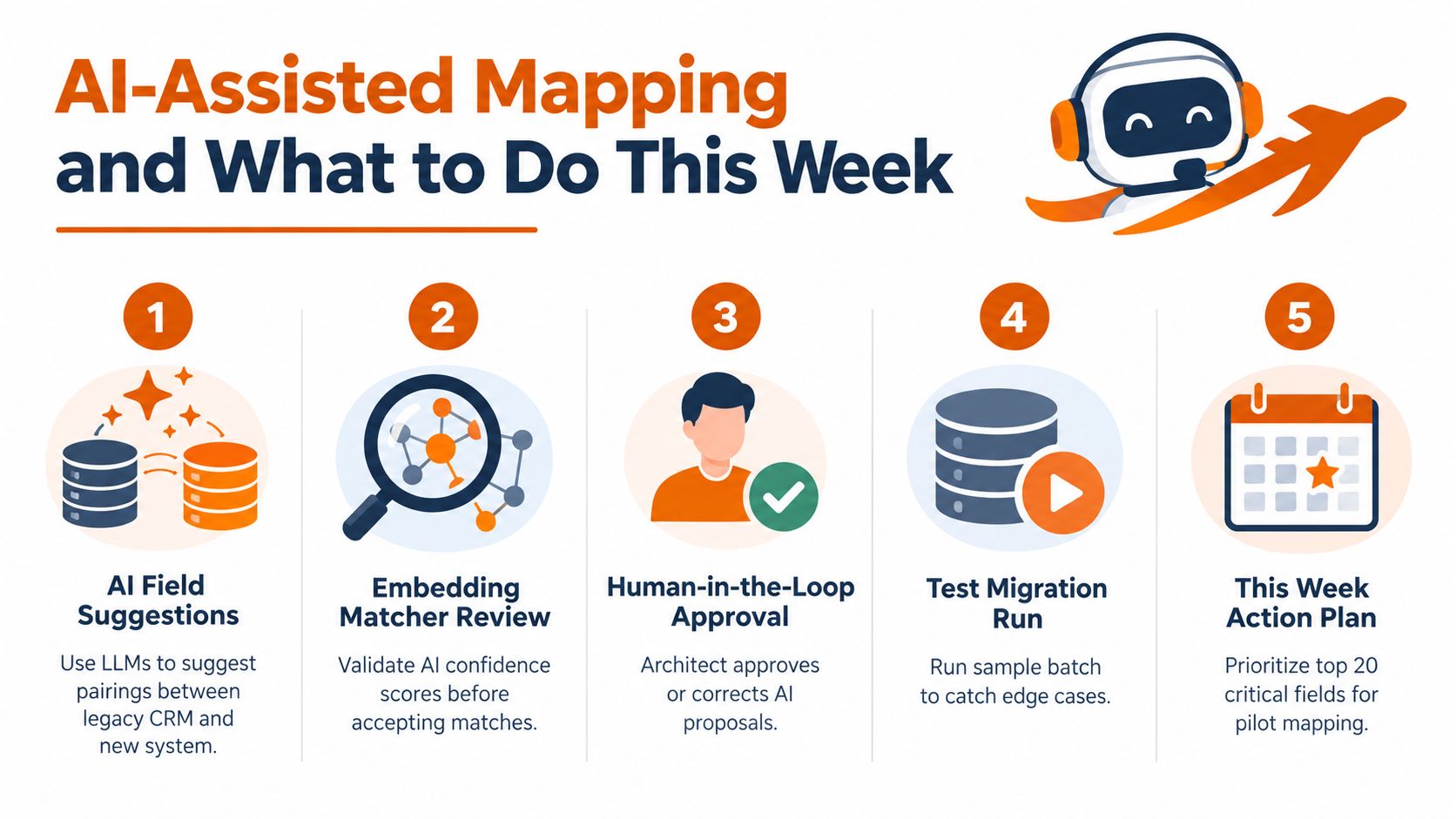
AI can accelerate field mapping, but it shouldn't own the design. Large language models can suggest likely pairings between legacy and target fields, embedding-based matchers can compare semantically similar names, and classification models can propose controlled picklist values for free-text data. Those suggestions reduce repetitive review, but they don't establish business ownership or truth.
An AI system may match Customer Tier with Account Segment because the labels appear related. It can't reliably determine whether the two fields share the same reporting definition, whether one is historical, or whether the target should preserve the old value for audit purposes. Model drift, hallucinated matches, and ambiguous fields require a human-reviewed approval queue.
Use AI where review is faster than invention
AI is well suited to proposing matches, grouping similar free-text values, flagging likely duplicates, and identifying records that need a person's attention. It's less suited to deciding which system owns a field, approving a revenue definition, or applying a transformation to production data.
The AI for CRM data cleanup discussion is useful context for combining automated assistance with review controls. The operating model should keep suggestions separate from approved mappings, preserve the rationale for corrections, and rerun tests whenever the source or target schema changes.
A focused plan for this week
- Inventory the fields: Catalog source fields, types, values, relationships, and downstream uses.
- Lock ownership: Assign a named owner to every revenue, routing, lifecycle, and reporting field.
- Draft the mapping document: Record targets, transformations, defaults, exclusions, and acceptance tests.
- Run a 1% pilot: Use the pilot to expose structural errors before expanding the migration.
- Review AI suggestions: Schedule sessions where the CRM architect and business owners approve, revise, or reject proposed matches.
The impact opportunity is moving from one-time mapping projects to governed systems that can support real-time decisioning. AI can help classify and reconcile data, but only a controlled schema, explicit permissions, and reliable validation make those decisions safe to operationalize.
Prometheus Agency helps growth teams define CRM data models, map fields across integrations, and establish sync and error-handling rules that protect reporting and automation outputs. Visit Prometheus Agency to discuss a structured CRM migration or AI enablement engagement before your next cutover becomes a reconciliation project.