Your brand appears in search, social conversations, news coverage, and AI answers, but your reporting still lives in disconnected tabs. Marketing sees a visibility trend. Sales hears prospects repeat an inaccurate description. Revenue operations has no reliable way to connect either signal to territory, campaign, pipeline, or customer records. That's the setup problem Brand Radar can solve, but only when you configure it as an operating layer rather than a mention counter.
Introduction to Brand Radar and What Good Setup Enables
A weak Brand Radar setup begins with a brand name and returns a noisy list of loosely related results. An ambiguous company name attracts unrelated conversations. A regional launch disappears inside country-level reporting. Competitor mentions sit beside crisis signals, leaving no clear owner or response. The dashboard may look busy, yet the underlying data cannot support a revenue decision.
A reliable setup starts with entity normalization. Define the official name, live domain, meaningful name variations, geography, concise description, and relevant competitors before interpreting results. This gives each observation a consistent identity. Without that foundation, teams spend time deciding whether two mentions refer to the same company instead of deciding what the signal means.
Brand Radar should also function as a revenue instrumentation layer. Social and news discovery can be connected to AI-aware measurement, including whether the brand appears in an answer, its position, how it is described, which competitors appear, and which sources are cited. Prompt sources and taxonomy create the measurement structure. Segmentation makes markets comparable, while review ownership connects shifts in visibility to campaign, pipeline, and quota planning.
A practical operating rhythm combines weekly or biweekly checks with monthly rollups for mention rate, average position, share of voice, sentiment trend, and accuracy rate, as outlined in the Brand Radar setup documentation.
Key takeaway: Treat Brand Radar as revenue instrumentation. Taxonomy determines data quality, segmentation determines comparability, and governance determines whether anyone acts on the signal.
What mature setup makes possible
A growth leader preparing a launch in a new city can separate that market from the broader country setting, track launch-specific prompts, compare visibility against named competitors, and route a material shift to the right owner. Sales can use the findings to understand how buyers describe the category. Marketing can identify where the brand is misrepresented or absent. Customer-facing teams can respond before an inaccurate narrative enters a buying conversation.
A short platform walkthrough helps stakeholders understand the workflow before configuration, especially when they need to evaluate operating responsibilities rather than only the interface. The tool matters, but the operating model matters more. Brand Radar creates business value when every tracked result has a defined purpose, an owner, and a path into the systems used for revenue decisions.
Prerequisites and Permissions Before You Configure Anything
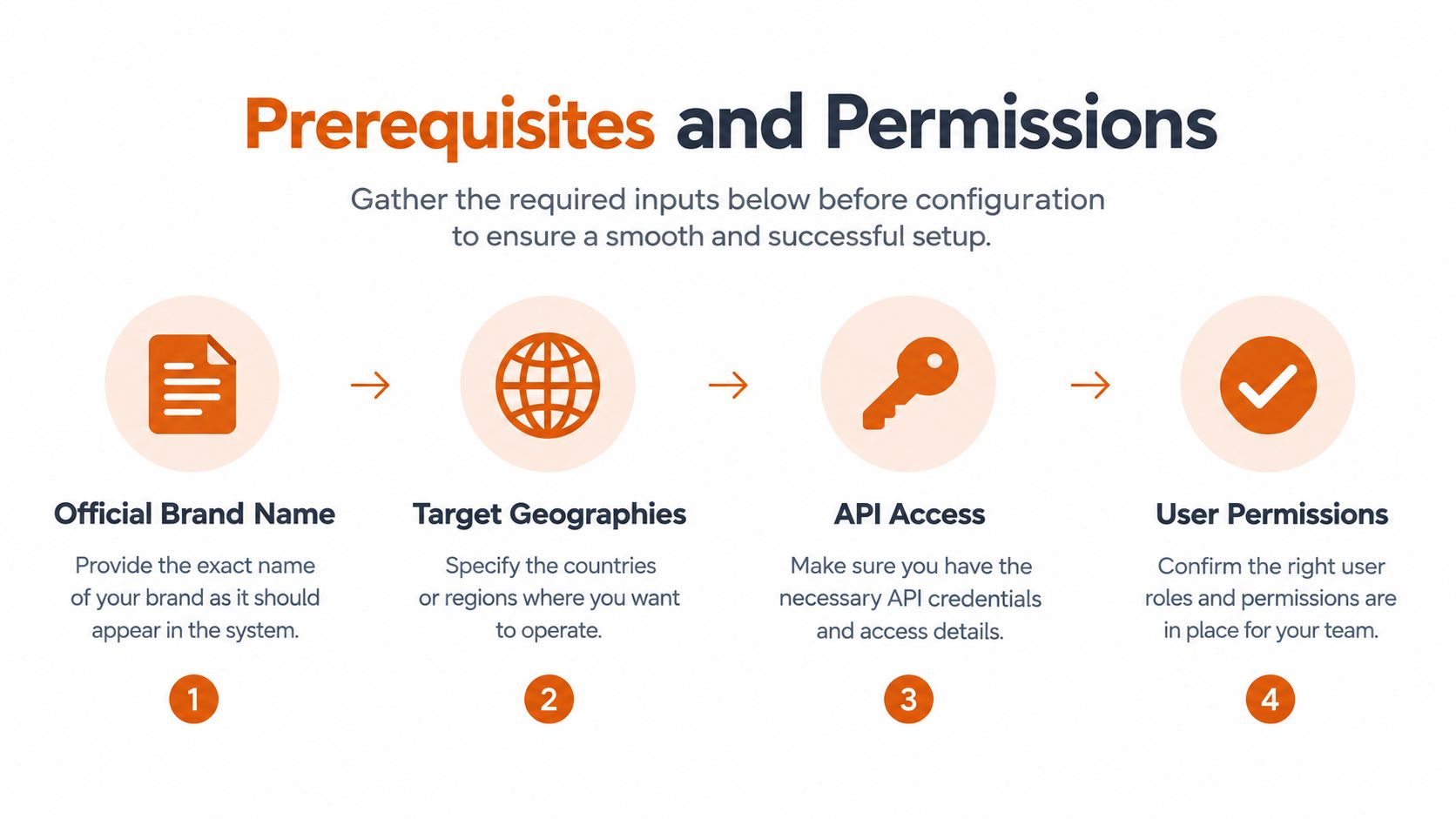
Configuration should start with a go or no-go check, not with clicking through fields. The first job is to create a clean brand entity that the monitoring system can recognize consistently across channels and regions.
Gather the entity inputs
Prepare these inputs before anyone launches tracking:
- Official brand name: Use the name that appears in legal, commercial, and customer-facing records. Don't substitute a product label or internal abbreviation.
- Live website domain: Confirm the domain that represents the brand today. If the business has multiple relevant properties, decide how they should be grouped before setup.
- Name variations: Brand Radar supports up to 10 name variations in its compact quickstart setup, which is useful for abbreviations, punctuation differences, former names, and common misspellings. The brand-monitoring workflow guidance also supports treating normalization as the first control point.
- Country and city: Choose the market context that matches the reporting question. A national benchmark and a city-level launch shouldn't be blended by default.
- Short brand description: Write a plain-language description that distinguishes the company from similarly named entities.
- Competitor names: List the competitors revenue teams encounter, not every company that appears in a broad category search.
The variation list deserves careful review. If sales uses a shortened name, customers use a former name, and partners use a product shorthand, leaving those terms out creates blind spots. Adding every vaguely related phrase creates noise. Use terms that a real buyer, journalist, employee, or customer could plausibly use.
Confirm access and ownership
Permissions should be settled before the first report is saved. Identify the administrator who can configure the account, the operator who will maintain taxonomy and alerts, and the business owners who will approve competitor and risk terms. Revenue operations, marketing, communications, customer success, and legal may all have different priorities, so one person should own the final taxonomy.
The setup is a controlled taxonomy, not a single search query. Independent monitoring guidance recommends distinct layers for core brand terms, campaign terms, competitor terms, and crisis-signal clusters. That separation lets the team distinguish routine visibility from risk signals and prevents an urgent alert from being buried among ordinary mentions.
Practical rule: Don't launch until someone can explain what each tracked variation means, which geography it belongs to, and who will act when its signal changes.
A final hygiene check should confirm spelling, current domains, market names, competitor names, and access rights. If any of those remain unresolved, pause. Correcting the entity after launch is possible, but historical comparisons become harder to interpret when the definition changes midstream.
Configuring Your Brand Radar Account and Data Connections
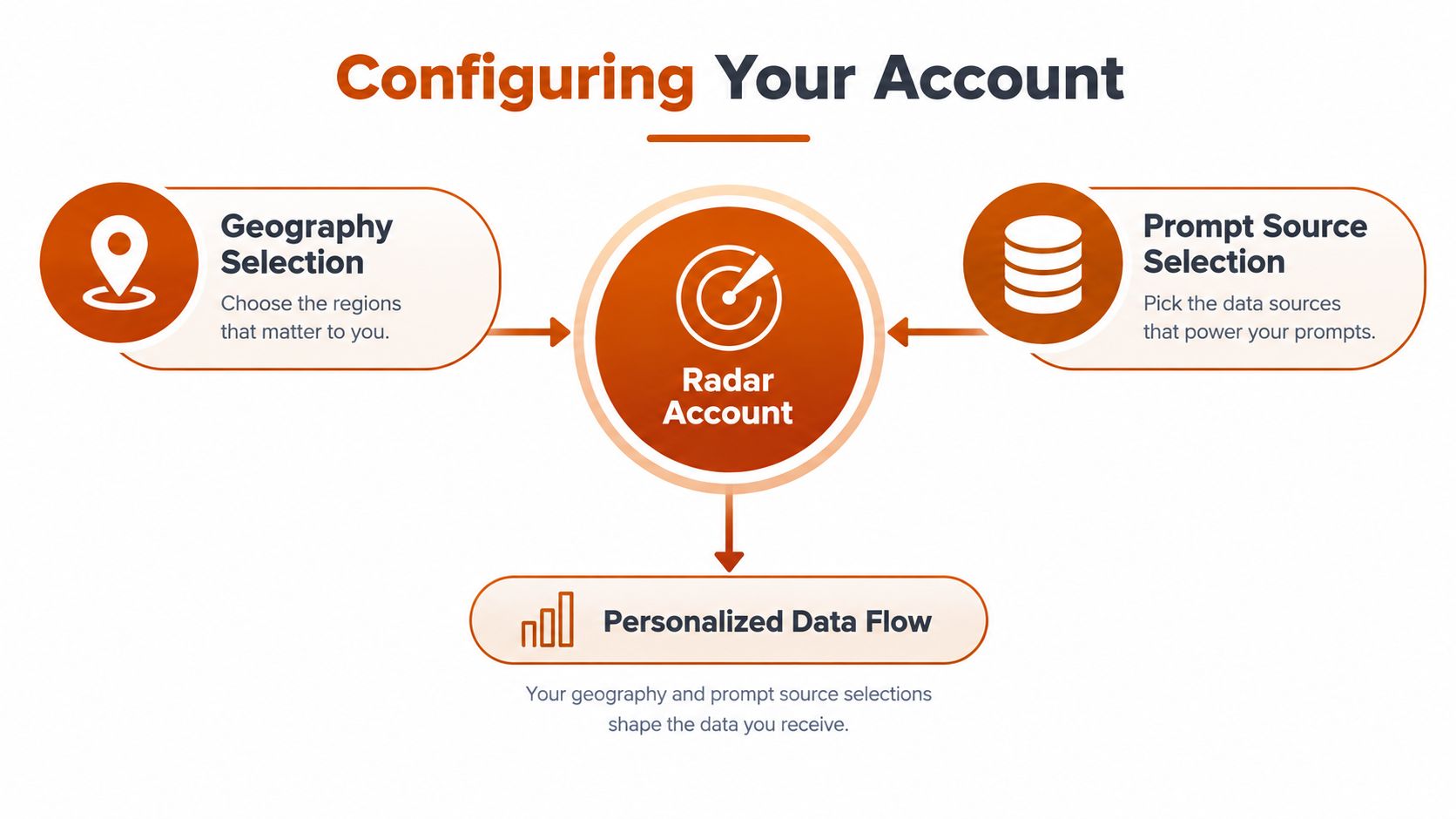
Two settings shape almost every downstream comparison: geography and prompt source. Configure them around the decision you need to make, not around the maximum amount of data available.
Start with the country-level data setting. A country selection establishes the market lens for the report, while the city input supports more specific regional segmentation during the initial setup. For a U.S. launch campaign, for example, the operating question might be how the brand appears in a target market rather than how it performs across every region. Keep that market isolated until the team has a reason to broaden the comparison.
Choose the prompt source deliberately
Brand Radar lets teams choose whether to fetch data from Ahrefs prompts, custom tracked prompts, or both, according to the Brand Radar configuration documentation. Each choice serves a different operating need:
- Ahrefs prompts provide a broader benchmark for discovery and competitive context.
- Custom tracked prompts focus the measurement on questions your team has defined, such as launch, product, or category prompts.
- Both sources create a fuller benchmark, but they can also blend different measurement purposes if the reports aren't labeled clearly.
For a launch, isolate custom prompts first if the immediate question is whether the brand appears in the questions tied to that campaign. Expand to both sources when leadership needs a broader baseline. This separation creates cleaner comparisons by region and prompt type, rather than combining unlike observations into one headline number.
Anchor the workflow with a saved report
Custom prompt tracking requires a saved Brand Radar report first. Create it from the Brand Radar homepage with the “+ Report” button, or save an existing search using the “Save report” link in the sidebar, as documented in the saved report setup process.
The saved report should capture the target brand, competitors, geography, and filters that define the baseline. Only after that report exists should the team activate custom prompts. This sequence gives prompt tracking a reusable context and makes later comparisons less dependent on whoever happened to configure the first search.
Think of the report as the measurement contract for the market. If marketing changes the geography, product changes the prompt set, and sales changes the competitor list without recording those changes, the resulting trend won't be reliable. Teams integrating the output into a broader customer data platform integration workflow should preserve those definitions as metadata so downstream dashboards retain the meaning of each observation.
Building Your Taxonomy Rules and Alert Framework
Brand Radar becomes operational when the team can answer two separate questions: what should be tracked, and what deserves intervention. A keyword map answers the first. An alert framework answers the second.
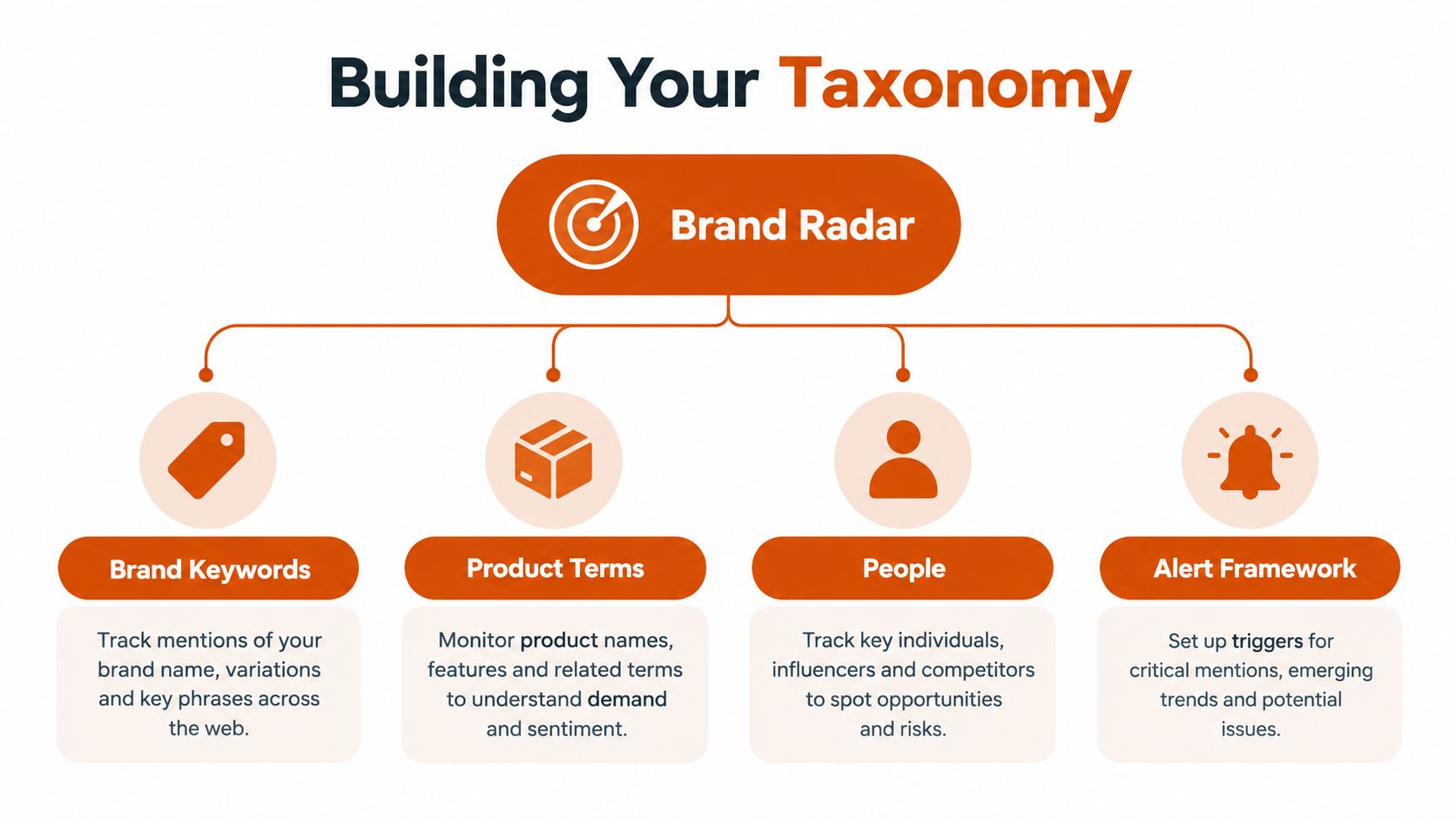
Build the map across four buckets:
| Bucket | What belongs in it | Example operating use |
|---|---|---|
| Brand | Official name, variations, former names, and branded campaign terms | Measure routine visibility and campaign reach |
| Product | Product names, feature terms, packages, and category language | Identify product associations and demand themes |
| People | Executive names, spokespeople, founders, and public-facing experts | Monitor narrative and leadership reputation |
| Risk | Crisis phrases, complaints, safety language, and high-severity combinations | Route signals to communications, legal, or customer teams |
The buckets should remain distinct even when terms overlap. A product term may indicate purchase interest in one context and a support issue in another. A person term may be routine in an interview but high risk when combined with an allegation or complaint phrase.
Reduce noise with inclusion and exclusion logic
Ambiguous names need both inclusion and exclusion terms. Include the brand term and relevant context, then exclude unrelated meanings, industries, or locations that repeatedly create false positives. The brand monitoring tools guidance recommends separating brand, product, people, and risk buckets while using inclusion and exclusion terms to reduce noise.
For example, a generic brand word may require a product descriptor, company domain, executive name, or market term before it counts as relevant. Don't solve ambiguity by adding an enormous list of loosely related terms. That approach makes the system harder to maintain and gives stakeholders less confidence in the results.
Route alerts by decision value
Alert thresholds should ignore ordinary variance and focus on meaningful changes. One benchmark recommends a 25% or greater shift rather than triggering on a 5% fluctuation, as described in the same monitoring guidance. The point isn't to treat those values as universal. It's to establish a deliberate noise floor and adjust it after observing real behavior.
| Signal pattern | Suggested severity | Owner |
|---|---|---|
| Routine brand mention change | Informational | Marketing or operations |
| Product or competitor movement | Review | Product marketing or revenue operations |
| Negative sentiment cluster with unusual movement | High | Communications and customer leadership |
| Risk term combined with executive or product term | Critical | Designated incident team |
Severity-based routing matters as much as threshold design. A low-volume risk cluster may deserve faster attention than a larger routine visibility change. Review non-actionable triggers monthly and remove terms that repeatedly generate noise. A data contract approach for CRM can help define the fields, owners, and acceptable values before alerts enter revenue workflows.
Use the embedded walkthrough as a visual reference for how the taxonomy and alert concepts fit together.
Testing Validation and Connecting to CRM and Analytics
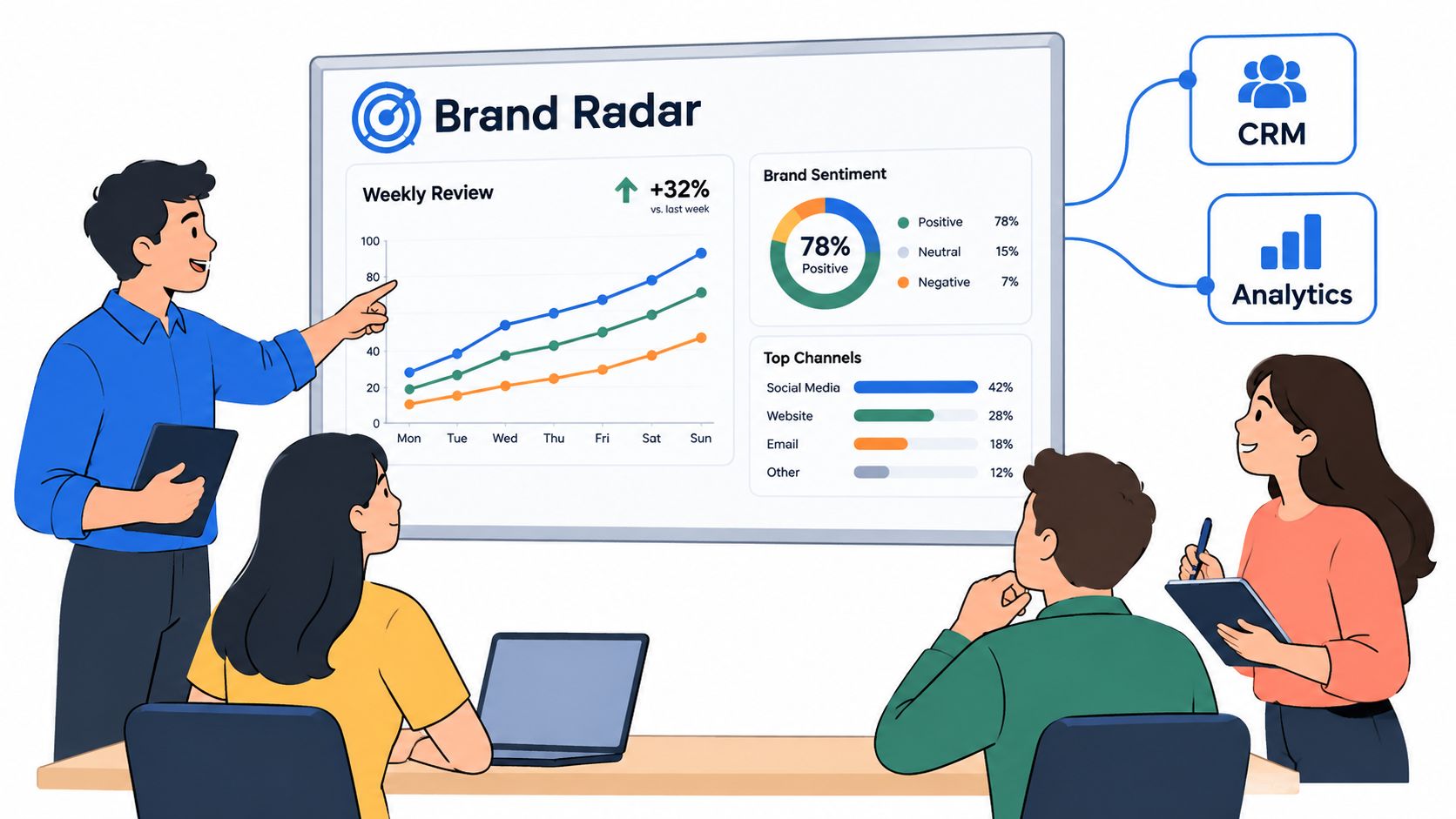
A configured report is only a hypothesis until it survives controlled tests. Start with known brand references, competitor mentions, regional prompts, product terms, and deliberate risk combinations. Confirm that Brand Radar captures the expected signals, excludes irrelevant results, labels sources correctly, and routes alerts to an owner who can act.
Use a consistent observation schema from the first test. Record whether the brand appears, its position, how it is described, which competitors are named, and which sources are cited. These fields support percentage-based reporting for mention rate, average position, share of voice, sentiment trend, and accuracy rate. Review them weekly or biweekly, then roll the results into a monthly operating view, following the AI-aware Brand Radar setup framework.
Plan custom prompt capacity before launch
Custom prompt tracking uses quota. Paid plans except Starter include monthly allowances of 150 checks on Lite, 300 on Standard, and 600 on Advanced. Separate packages provide 2,500 checks for $50, 7,000 checks for $100, and 25,000 checks for $250, according to Ahrefs' custom prompt tracking documentation.
One check equals one prompt execution multiplied by one LLM and one location. A prompt tracked across two models and three locations consumes six checks. That definition should shape the operating plan. A short prompt list can consume quota quickly as the team adds models, locations, and recurring checks.
Estimate usage before activation:
- Count the custom prompts required for each business question.
- Multiply by the number of LLMs.
- Multiply by the number of locations.
- Include the planned checking cadence.
- Reserve capacity for validation and priority launches.
Keep executive reporting focused on high-value prompts instead of spending the full allowance on broad discovery. Quota planning affects coverage, test quality, and the reliability of the resulting KPI baseline.
Connect observations to revenue systems
CRM integration should retain the context required for a business decision. Store the report name, geography, prompt source, observation date, brand or competitor, sentiment classification, cited source, and responsible team. Use CRM records for ownership and follow-up. Use analytics tools for trends, comparisons, and performance views.
A practical workflow can create a communications task when a high-severity risk signal appears, associate a competitor visibility observation with a market or account segment, and place campaign-specific visibility beside pipeline reporting. Teams evaluating AI integration with CRM should define what becomes a record, what remains an analytical event, and which alerts require human review. Sending every mention into the CRM creates clutter and weakens adoption. Automate routing, not judgment.
Monitoring Maintenance Best Practices and Measurable KPIs
Brand Radar needs an owner after launch. Taxonomy changes as products, executives, campaigns, markets, and competitors change. A report that was accurate at launch can become noisy when a product is renamed or a new competitor enters the category.
Set a maintenance rhythm around three decisions:
- Tune thresholds: Review whether alerts are firing on meaningful movement or normal variance. Preserve a documented reason for each threshold change.
- Refine taxonomy: Add newly used variations, remove irrelevant terms, and separate campaign language from evergreen brand language.
- Audit routing: Confirm that every high-severity signal reaches a named owner and that low-value alerts don't consume the same attention.
The broader monitoring model should cover search, social, news, and AI answer engines as distinct but connected sources. The point isn't to force every channel into one blended score. It's to give teams enough context to understand whether a change reflects demand, narrative, competitive positioning, or a potential incident. A separate social media monitoring platform for X growth can complement this approach when social-channel workflows require specialized coverage.
Troubleshoot the issues that erode trust
Noisy alerts usually indicate weak exclusions, overly broad terms, or thresholds that respond to normal variance. Tighten the term relationship before adding more reviewers.
Missed variations point to incomplete entity normalization. Review customer language, sales notes, campaign copy, executive references, and former brand names. Add only terms that represent a meaningful monitoring question.
Quota exhaustion means the prompt portfolio, model coverage, location coverage, or checking cadence exceeds the available capacity. Prioritize prompts tied to active launches, strategic categories, and executive reporting, then move exploratory prompts into a separate review plan.
Inconsistent reports often result from changing filters without preserving the prior baseline. Save reports for stable market views and record configuration changes alongside monthly rollups.
Measure business value, not dashboard activity
The useful KPIs are the ones that support a decision. Track whether the brand appears for priority prompts, where it appears, how accurately it is described, which competitors are named, and which sources influence the answer. Pair those visibility measures with CRM outcomes such as sales follow-up, campaign attribution, account engagement, and incident resolution, using the same geography and market definitions.
Continuous improvement beats set-and-forget monitoring. A smaller, trusted signal set will produce better revenue decisions than a larger dashboard nobody believes.
Prometheus Agency works with growth leaders on CRM implementation, custom integrations, AI enablement, and go-to-market systems, which can help connect Brand Radar observations to ownership and business reporting. Visit Prometheus Agency to request a complimentary Growth Audit and AI strategy session, then bring your current taxonomy, reports, and CRM workflow to the conversation.