Your team has a folder full of customer interviews, spreadsheets, presentation drafts, and half-finished analysis. People aren't blocked by a lack of intelligence. They're blocked by the handoffs: finding the right files, moving information between applications, formatting deliverables, checking for omissions, and repeating the same process for the next request.
Anthropic Claude Cowork changes the unit of work from a conversation to an outcome. Instead of asking for an answer and manually transferring it into other tools, you can give Cowork access to a workspace, define the deliverable, and let it coordinate a multi-step process. That creates a meaningful impact opportunity for document-heavy teams, provided the workflow is governed, measurable, and narrow enough to validate.
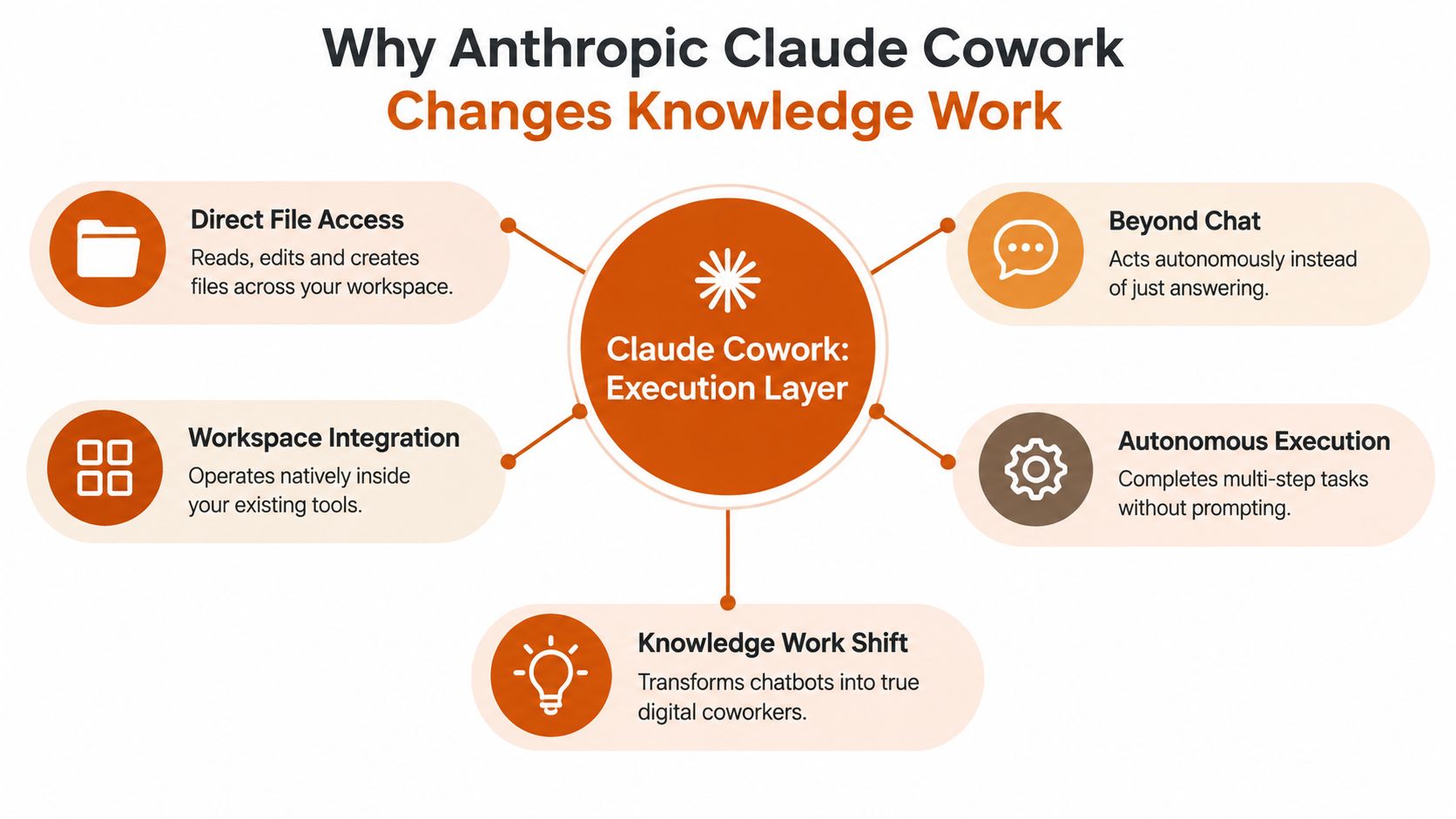
Why Anthropic Claude Cowork Changes Knowledge Work
Consider a revenue operations team preparing a quarterly account review. The work might involve reading sales transcripts, identifying risks, updating a spreadsheet, drafting a presentation, and creating a written summary for leadership. A chat assistant can help with each individual step, but a person still has to upload files, preserve context, copy outputs, and verify that every version matches.
Cowork is designed for the work between those prompts. It can read, edit, and create local files without requiring manual uploads or downloads, then coordinate connected applications such as Slack and Google Drive. Anthropic also describes Cowork as capable of dividing complex work into smaller tasks with parallel sub-agents, which makes it closer to an execution layer than a conventional chatbot. The practical distinction is simple: chat primarily returns information, while Cowork can work toward a structured deliverable.
The Commercial Context Matters
Anthropic's broader trajectory helps explain why this product deserves serious enterprise attention. The company was founded on January 26, 2021, launched its Claude product line on March 14, 2023, and was reporting US$4.5 billion in revenue by 2025, according to the Anthropic company timeline. Reports in 2026 connected the company to potential employee share-sale discussions at a valuation of at least $350 billion, compared with an earlier $61.5 billion buyback valuation in 2025. Those milestones don't prove that every Cowork deployment will work, but they show that Claude has moved rapidly from a research-era product into a major enterprise platform.
The same pattern appears in Claude Code. Anthropic launched it as a research preview on February 24, 2025, made it generally available on May 22, 2025, and later said it had reached more than $2.5 billion in run-rate revenue by February 2026, with that figure more than doubling since the beginning of 2026. Coverage of Claude Code usage and commercialization places Cowork within an ecosystem that's already being used for technical and knowledge-work automation.
Practical rule: Treat Cowork as a system that produces and changes business artifacts, not as a faster search box.
That mental model affects implementation. You need to define file permissions, approval points, quality checks, and ownership. Teams exploring the product can also use this Anthropic tweet collection to follow product discussion and practitioner observations, while the guide to what Claude Cowork is provides useful orientation for stakeholders who still think in chatbot terms.
Choosing the Right Use Cases for Your AI Coworker
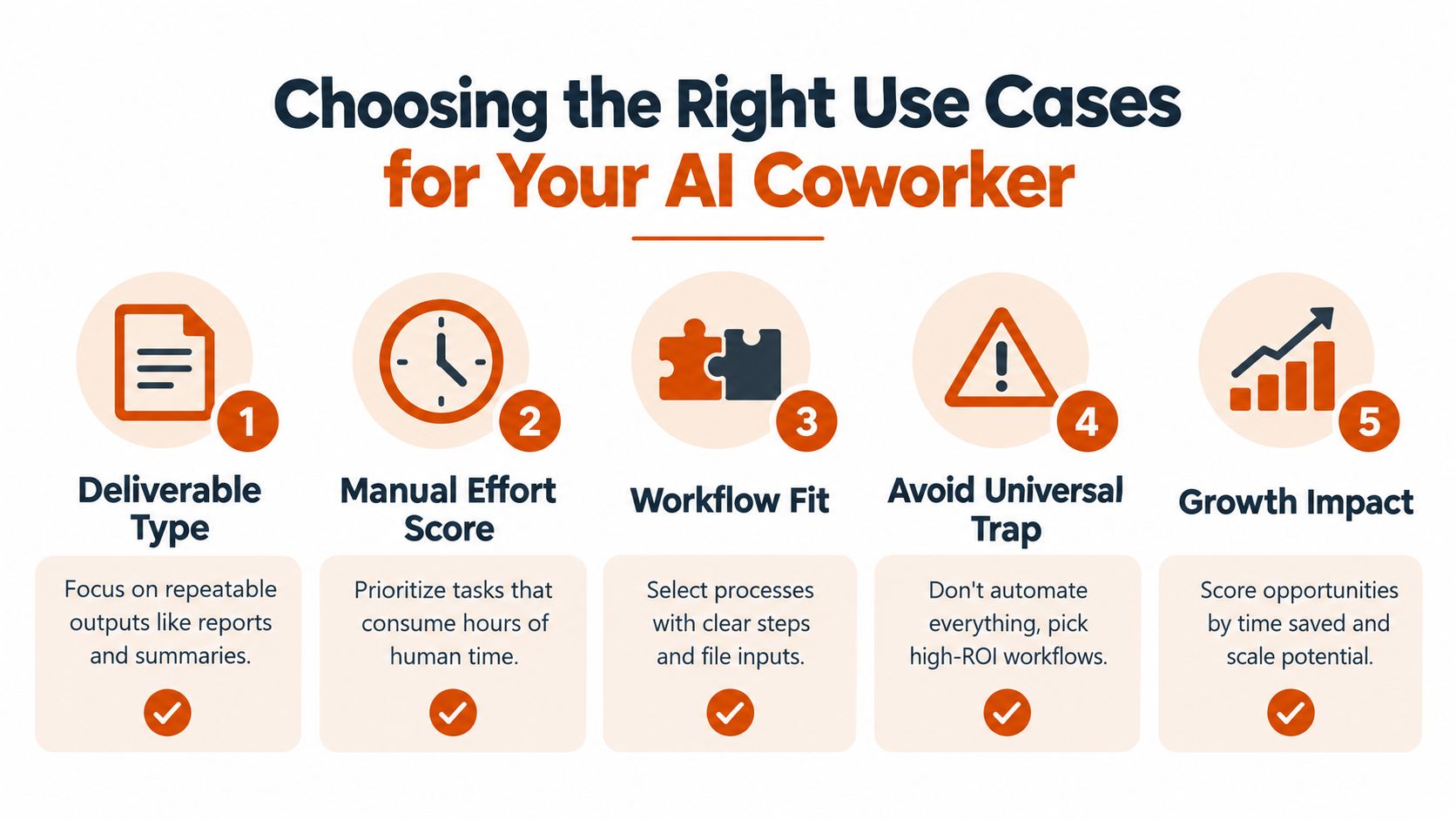
The universal AI coworker is a tempting idea, but it's a poor starting point for an implementation. Cowork creates the most value where a team repeatedly turns known inputs into a defined output, especially when several files, applications, or review stages create friction.
Start with the deliverable, not the department. A research synthesis that ends in a spreadsheet, PowerPoint presentation, and formatted document has a clearer automation target than “help marketing work faster.” The first workflow has named inputs, named outputs, and visible handoffs. The second is only an aspiration.
Compare workflow fit before model capability
| Use case | Why Cowork fits | Main risk |
|---|---|---|
| Sales transcript analysis | Repeated source material can become structured themes, risks, and follow-up actions | Misreading customer intent or missing context |
| Research to presentation | One workspace can support synthesis, calculations, slide creation, and document formatting | Unsupported conclusions or inconsistent numbers |
| Codebase review | Large source sets can be examined with continuity across files | Overlooking dependencies or security implications |
| One-off brainstorming | Chat may already be sufficient | Little benefit from file-native execution |
| Unstructured strategic judgment | The output depends heavily on executive context | Automation can create false confidence |
The strongest pilot candidates generally score well on four dimensions:
- Deliverable clarity: The team can explain what “done” looks like using an example artifact.
- Manual effort: People spend meaningful time collecting, transforming, and formatting information.
- Workflow structure: The work follows recognizable steps rather than improvisation from start to finish.
- Handoff friction: Files move between people or tools, creating delays and version-control problems.
A sales leader might choose transcript synthesis because the inputs are repeatable and the output can be reviewed against the original calls. A finance team might choose recurring management packs if the source files and approval rules are stable. A product team might choose release-note preparation if Cowork can compare source tickets, draft the document, and place it in a controlled review folder.
Avoid the universal coworker trap
Chat-only work isn't automatically a bad use case. It doesn't justify an agentic workflow unless the assistant must inspect files, take actions, or create a deliverable. Asking Cowork to answer isolated questions can add complexity without adding value.
Choose two or three pilot workflows, each with a named owner and a baseline process. Measure the time people spend locating inputs, preparing outputs, correcting errors, and completing reviews. The impact opportunity isn't a vague promise of productivity. It's the reduction of specific manual steps while preserving human judgment at the points where errors matter.
Architecture and API Integration Essentials
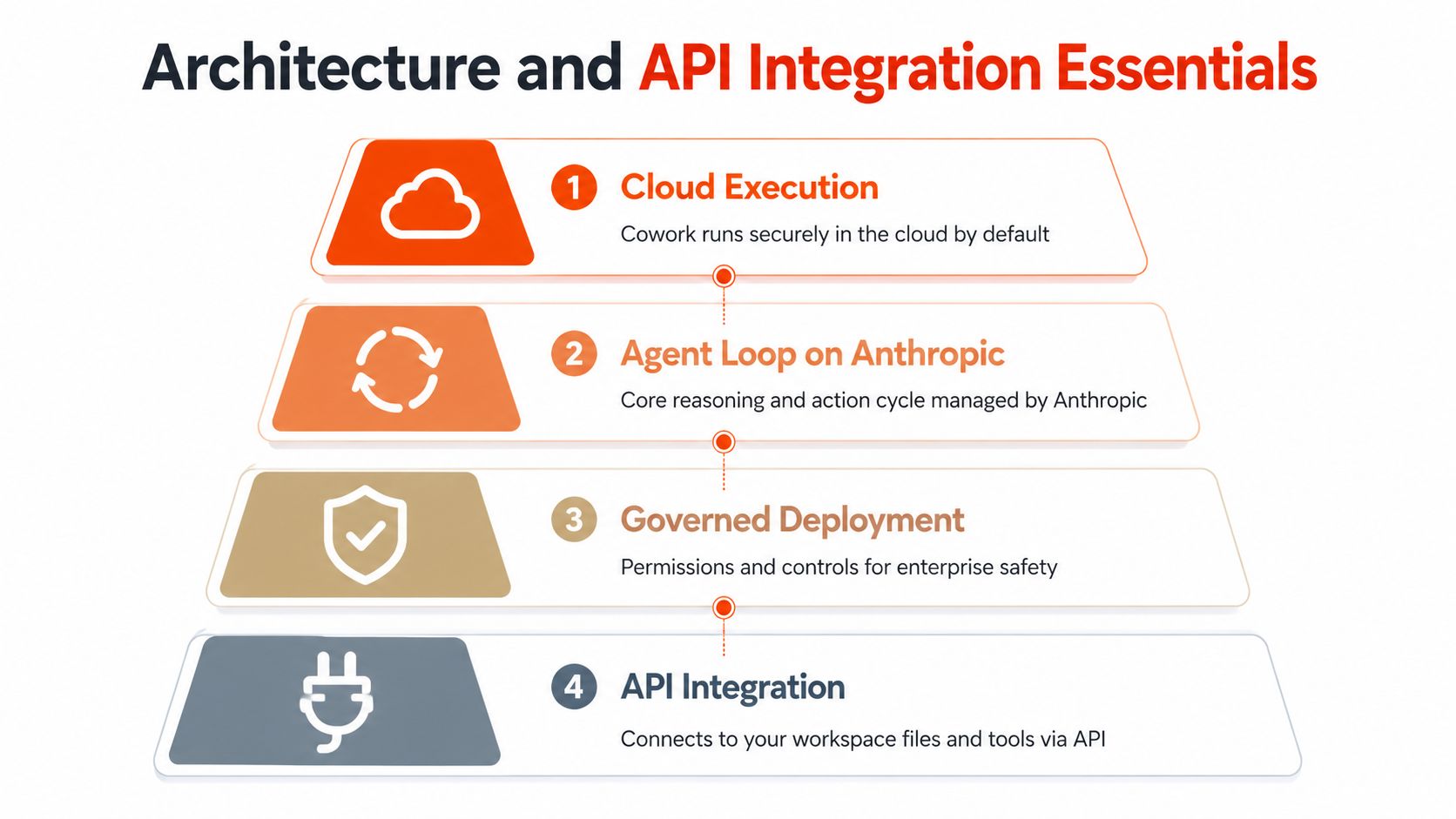
A safe Cowork rollout begins with an accurate architecture model. Anthropic's documentation says Cowork runs in the cloud by default, with the agent loop and code executing on Anthropic's servers. Sessions and files are saved to the user's Claude account, and the system can work across connected applications such as Slack and Google Drive. That design creates convenience, but it also means security teams must evaluate the workspace as an active software environment, not just an AI chat window.
Build the deployment in a deliberate sequence
First, map the data boundary. Identify which folders, repositories, channels, and cloud documents Cowork can access. Separate approved working material from sensitive financial, legal, personnel, or customer data until your security review establishes the right controls.
Second, connect identity and permissions. Anthropic's enterprise offering bundles Claude Chat, Cowork, Claude Code, connectors, SSO, SCIM, and audit logs. A single seat is positioned to give employees access to the suite across everyday thinking work, multi-step knowledge work, engineering, and tools including Microsoft 365, Chrome, and Slack, as described in Anthropic's enterprise offering. Your IT team should still define role-based access, acceptable actions, approval requirements, and deprovisioning procedures.
Third, plan for large working contexts. Claude Enterprise includes an expanded 500K context window, which Anthropic describes as enough for hundreds of sales transcripts, dozens of documents longer than 100 pages, or medium-sized codebases. The operational benefit is continuity. Analysts can work from a broader source set without constantly splitting the task into disconnected conversations, although large context doesn't remove the need for source validation.
Fourth, standardize integrations. Microsoft 365, Chrome, Slack, Google Drive, and GitHub each represent a different permission and audit surface. GitHub synchronization is especially relevant for engineering teams reviewing repositories, while RevOps teams may prioritize CRM-adjacent documents, sales transcripts, and collaboration tools. Teams working with Claude Code and MCP can use this Claude Code MCP integration guide to understand the broader connector pattern.
A useful architecture review asks one question repeatedly: what can Cowork read, what can it change, and who can approve the result? If those answers aren't documented, the deployment isn't ready for broad access.
Designing Prompts and Workflows That Deliver Results
The best Cowork prompts behave like operating procedures. They name the source files, define the sequence, establish quality criteria, specify where outputs belong, and state what requires human approval. Clever wording matters less than giving the agent a reliable workflow contract.
A weak request says, “Analyze this research and make a presentation.” A stronger request identifies the research folder, asks Cowork to extract claims and sources, requests a structured spreadsheet, then asks it to create a presentation and written brief from that approved dataset. The second version reduces ambiguity and creates checkpoints.
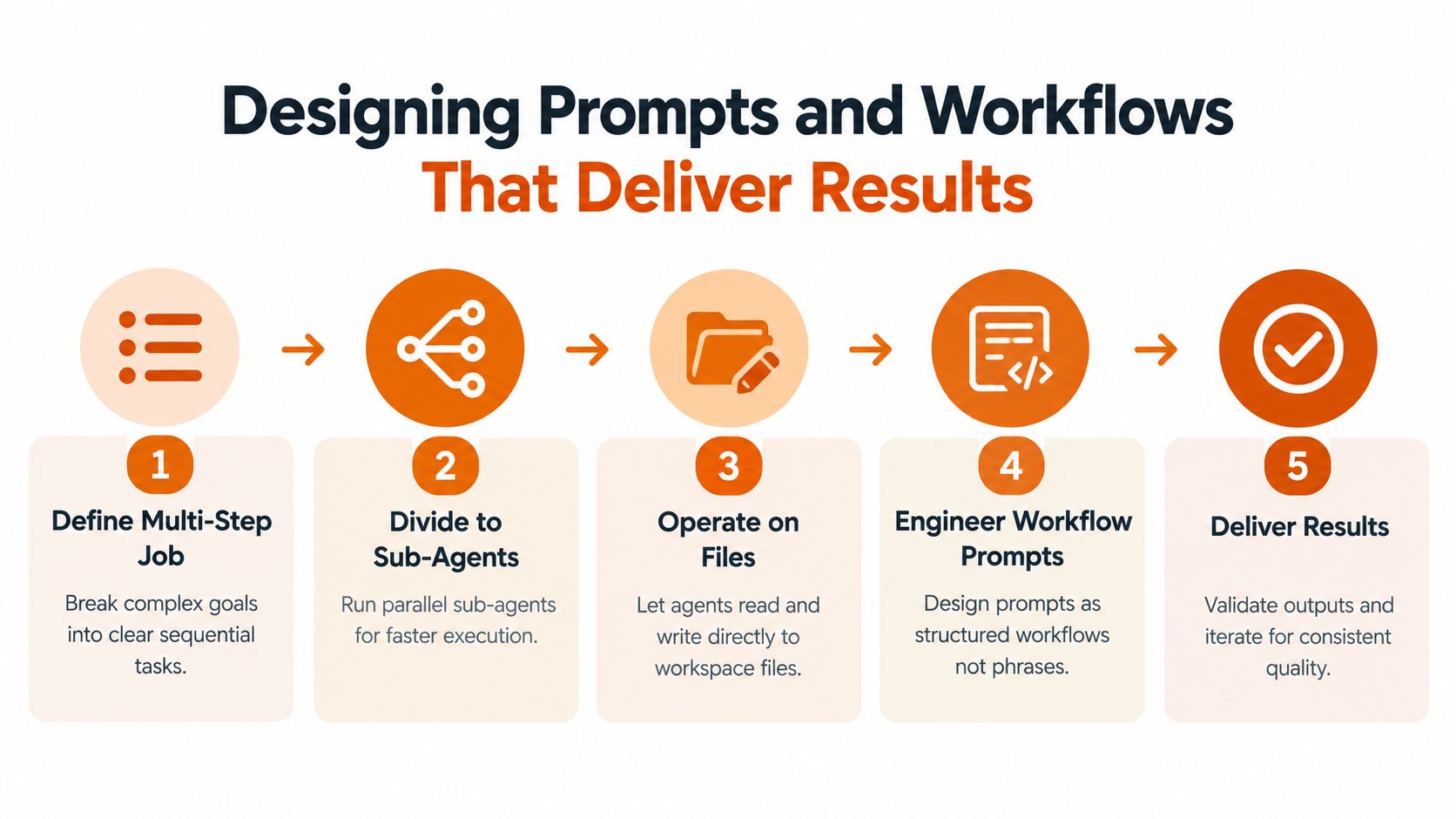
Define the job as a chain of actions
A practical workflow might look like this:
- Inspect the workspace. List the available files, identify formats, and flag missing or unreadable inputs.
- Divide the analysis. Assign separate sub-agents to extract themes, check source consistency, and identify exceptions where parallel work makes sense.
- Create a canonical dataset. Write findings, citations, assumptions, and confidence notes to a spreadsheet.
- Generate deliverables. Use that dataset to create a PowerPoint for executives and a formatted document for operators.
- Run a review pass. Check calculations, unsupported claims, formatting, duplicate content, and unresolved questions.
- Place outputs in a review folder. Don't overwrite source material unless the workflow explicitly allows it.
This structure uses Cowork's ability to work directly on files and coordinate parallel sub-agents, as described in Claude Cowork's official overview. It also gives reviewers something concrete to inspect. They aren't judging an invisible chain of reasoning. They're checking source files, intermediate artifacts, and final deliverables.
Benchmark the workflow, not the model
Anthropic's evaluation approach emphasizes workflow-specific test sets built from actual production artifacts. That means including degraded scans, unusual formats, incomplete records, and edge cases that generic benchmark prompts won't capture. Define quality criteria for each workflow, then compare Cowork with the current manual or automated baseline.
In Anthropic's knowledge-work benchmark context, Opus 4.6 reportedly exceeded the next-best model by around 144 Elo points on GDPval-AA, as reported in Anthropic's announcement for Claude Opus 4.6. That result is useful evidence of capability, but it isn't a deployment guarantee. A model can score well on a benchmark and still fail when your documents contain poor scans, inconsistent naming, internal jargon, or compliance constraints.
A benchmark earns trust only when it resembles the work your team actually performs.
Securing Data and Driving Adoption Across Teams
A Cowork pilot can produce excellent deliverables and still stall if employees cannot explain what the agent accessed or managers leave the surrounding process unchanged. Treat Cowork as a governed execution layer for file-based work. Governance determines which tasks teams will trust, repeat, and expand.
Start by mapping the working session. Anthropic says Cowork runs in the cloud by default, executes its agent loop and code on Anthropic's servers, and saves sessions and files to the user's Claude account. It can also work across connected apps such as Slack and Google Drive. As Cowork extends across desktop, web, and mobile beta for paid plans, access surfaces increase. Retention, auditability, permissions, and device policy therefore belong in the adoption plan, not in a later security review. Begin with Anthropic's Cowork architecture documentation.
Establish controls before expansion
A useful security review should answer these questions:
- Access scope: Which local folders and connected applications may each role use?
- Action scope: Which actions can Cowork take automatically, and which require approval?
- Retention: How long do sessions, generated files, and intermediate artifacts remain available?
- Auditability: Can administrators reconstruct who initiated a workflow and what it changed?
- Sensitive data: Which financial, personnel, legal, or customer records are excluded?
- Prompt injection: How will users handle instructions embedded in documents or web content that try to redirect the agent?
Prompt injection needs explicit operating rules because Cowork can act on information encountered during a task, rather than only summarize it. Defensive controls reduce risk, but they do not guarantee safe agentic access. Begin with bounded folders, trusted sites, limited connectors, and human review for external communications or consequential changes. Teams can also use this guide to data privacy for corporate large language models when defining governance requirements.
Make adoption role-specific
Non-technical employees need practical boundaries: what work to delegate, what to review, and where approved outputs belong. Train sales operations on transcript-to-summary workflows, finance on controlled document analysis, and marketing on research-to-brief production. Give each team a small library of approved workflow templates instead of asking everyone to automate without constraints.
Anthropic's internal research reported workers using Claude in 60% of their work with a 50% productivity boost, but the findings do not identify which Cowork workflows will produce ROI in your organization. Treat that result as context, not a business case. Monitor use of approved workflows, reviewer acceptance, rework, and quality. Adoption is working when teams repeatedly use governed workflows and reviewers can approve the resulting files without weakening standards.
Measuring ROI and Scaling With a Proven Playbook
A Cowork pilot should produce evidence that a specific process improved. Seat counts and prompt volume are activity measures. They don't tell you whether the business is better off.
For each workflow, record the baseline effort required to collect inputs, perform the analysis, prepare the deliverable, review it, and correct errors. Then compare the same work with Cowork under normal operating conditions. Include quality, turnaround time, rework, approval delays, and the amount of human judgment still required. For revenue teams, add measures such as lead velocity or the time between a customer signal and a usable account action, but only where the workflow influences those outcomes.
Use a 30-60-90 day rollout
Days 1 to 30, prove the workflow. Select two or three bounded use cases, appoint an owner for each, and create test sets from real production artifacts. Define acceptable outputs, failure conditions, escalation rules, and the current manual baseline. Keep permissions narrow while the team learns where Cowork makes errors.
Days 31 to 60, stabilize the operating model. Review failed outputs by category. Improve folder structure, naming conventions, workflow instructions, approval gates, and role-specific training. Compare results against the baseline again, including edge cases such as degraded scans and unusual formats. The aim is repeatability, not an impressive one-off demonstration.
Days 61 to 90, scale what has earned trust. Expand access only for workflows with clear quality ownership and measurable effort reduction. Standardize successful templates, connect the right enterprise tools, and make audit and review responsibilities part of normal team management. Retire workflows that create more checking than they remove.
Desktop automation is becoming more capable, but it still requires bounded expectations. Anthropic's computer-use evaluations use OSWorld, a 369-task benchmark covering Ubuntu, Windows, and macOS workflows. Public disclosures describe a rise from under 15% in late-2024-era releases to 72.5% on OSWorld-Verified for Claude Sonnet 4.6 and Opus 4.6-class systems, near a reported human baseline of roughly 70% to 75%, according to coverage of Claude's computer-control benchmark. That suggests viability for many routine desktop tasks, not reliable autonomy across every long-horizon process.
Claude Code adoption also provides a market signal. JetBrains-reported data cited in 2026 placed workplace adoption among developers at 18%, up sixfold from roughly 3% earlier, while broader Anthropic usage data found 49% of job categories had at least a quarter of tasks performed using Claude, as discussed in Anthropic's research on how AI is transforming work. Those figures show momentum, but they don't replace workflow-level ROI evidence for Cowork.
Key Takeaways
- Choose Cowork for repeatable deliverables with clear inputs, outputs, and review criteria.
- Use direct file access and parallel sub-agents to remove handoffs, not to eliminate judgment.
- Treat cloud execution, connected apps, retention, auditability, and prompt injection as deployment requirements.
- Benchmark against real production artifacts and the current manual process.
- Expand seats only after a workflow demonstrates quality, ownership, and durable effort reduction.
Prometheus Agency helps growth leaders turn AI tools such as Cowork into governed workflows connected to CRM, go-to-market operations, and measurable business outcomes. Visit Prometheus Agency to discuss a complimentary Growth Audit and AI strategy session for your team.