Key Takeaways
- Align CRM selection with clear business objectives and measurable KPIs
- Follow a structured framework: requirements, evaluation, pilot, implementation, negotiation
- Validate technical fit, integrations, and security early to avoid hidden costs
Practical Examples
- A mid-market SaaS provider boosted conversions by 25% through predictive lead scoring
- A services firm integrated ERP and support ticketing to reduce response times by 40%
- A three-week pilot revealed a missing API endpoint, saving $15K in custom development fees
Impact Opportunity
- Structured scoring and pilot processes can cut vendor selection time by 40%
- Early integration validation can decrease custom development costs by 30%
- A well-designed pilot and ROI model can reduce total cost of ownership by up to 30%
Picking a CRM isn’t about chasing shiny features. It’s about aligning each phase—requirements, vendor evaluation, pilot testing, implementation and negotiation—with your growth roadmap. With a sharp framework, you focus on impact instead of getting lost in demos.
Framework For Choosing A CRM System
Effective CRM selection begins by uncovering the business problems you need to solve and setting measurable success criteria. Once you know what you want to track, you can compare vendors on technical fit and ROI. From there, a pilot with real users uncovers hidden gaps, and implementation planning ensures a smooth data migration.
- Requirements: Map goals and pain points
- Evaluation: Score vendors on fit and projected ROI
- Pilot: Validate core workflows with a small user group
- Implementation: Build a timeline, migrate data, train teams
- Negotiation: Secure clear SLAs and transparent pricing
Visualizing The Process
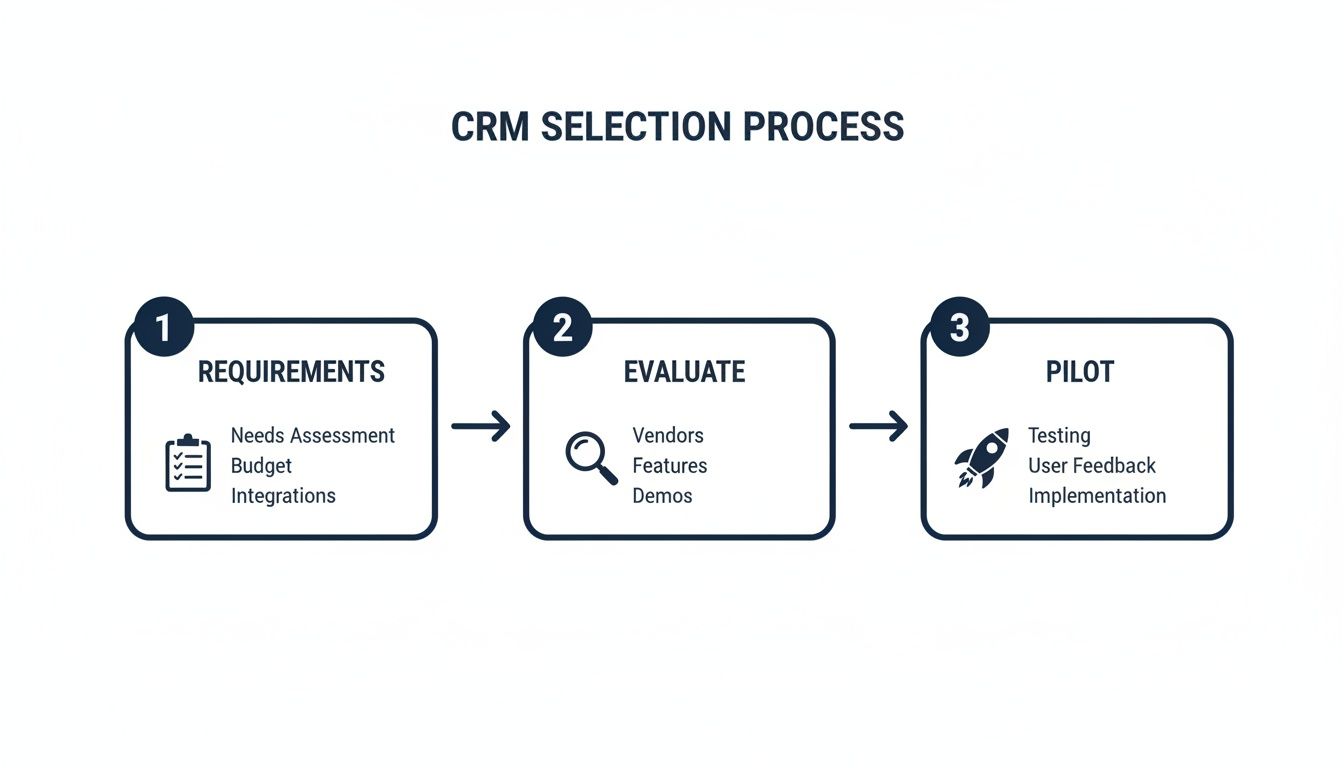
This flow highlights why nailing requirements and vendor scoring up front cuts out expensive mid-project pivots.
Market momentum matters too. The global CRM sector is projected to reach $112 billion in 2025 and climb to $262 billion by 2032 at a 12.8% CAGR. Check out deeper CRM market insights on Kixie.
CRM Selection Framework Summary
Use this snapshot to keep your team aligned on objectives and expected results.
| Step | Objective | Outcome |
|---|---|---|
| Requirements | Define business goals and pain points | Clear project backlog |
| Evaluation | Assess vendors on functionality and ROI | Shortlist of top-fit solutions |
| Pilot | Test workflows in a live environment | Actionable feedback and fixes |
| Implementation | Plan rollout, data migration, and training | Structured launch roadmap |
| Negotiation | Finalize SLAs, support terms, and pricing | Cost-effective agreements |
This summary becomes your north star. It turns high-level goals into a sequence your project team can rally around.
A B2B mid-market sales organization leaned on this framework and cut integration time by 30%, thanks to early vendor alignment and a focused pilot.
Key Takeaways
- Connect each technical requirement to a measurable business outcome
- Use $262 billion market growth forecasts to strengthen your investment case
- Run a realistic pilot to validate ROI before full-scale rollout
Align CRM Goals With Business Objectives
Before you dive into demos and feature lists, spend time clarifying why you need a CRM in the first place. This upfront work stops you from chasing every shiny tool and keeps your team focused on concrete outcomes. A chaotic rollout can eat away as much as 70% of your expected gains.
Mapping Features With Goals
Getting granular about which features support your objectives makes technical requirements feel less abstract. For example, a mid-market SaaS provider saw a 25% jump in conversions by turning on predictive lead scoring. Another B2B services firm slashed churn by 18% once they set up automated case escalation.
| Business Goal | CRM Feature | Expected Impact |
|---|---|---|
| Boost Lead Conversion | Predictive Lead Scoring | +25% conversion rate |
| Reduce Customer Churn | Case Escalation Rules | -18% churn rate |
| Improve Response Time | SLA-Driven Notifications | -30% average response time |
| Streamline Follow-Up | Automated Email Nurturing | -20% time to contact |
To make this table actionable, highlight the features your team can actually activate in the first 30 days.
- Automated email workflows typically trim follow-up cycles by 20%.
- Real-time dashboards catch anomalies before they spiral into bigger issues.
Defining Measurable KPIs
Workshops that bring sales, marketing and support folks together can spark alignment on key metrics. Think beyond wins and losses—track Average Deal Size, Lead Response Time, even CSAT Score. When everyone sees how daily tasks feed into quarterly revenue targets, it’s easier to stay on course.
Integrating these KPIs into your executive dashboard helps you rally leadership support—and keep it.
Impact Opportunity
Setting KPIs tied to revenue goals can uncover a 30% boost in sales efficiency.
Building Stakeholder Alignment
It’s tempting to let the sales team drive CRM requirements, but collaboration always pays off. Map out a simple stakeholder matrix that spells out who owns what.
- The Sales Director owns pipeline velocity targets.
- The Marketing VP sets MQL-to-SQL conversion goals.
- The Customer Success Lead tracks retention KPIs.
Agree on a weekly update cadence. These catch-up sessions stop surprises and turn talk into action.
You might be interested in our article on what a CRM system really does for your sales team for deeper insights.
Practical Examples From Mid-Market Teams
A growing SaaS vendor kicked off a two-hour alignment workshop, built custom dashboards tied to its $5M revenue plan and saw forecasting speed up by 20%. Meanwhile, a manufacturing client linked SLA metrics to churn and chopped response times by 40%, avoiding nearly $200k in lost business.
Key takeaways from these efforts:
- Prioritize features that deliver the highest ROI first.
- Keep workshops time-boxed to maintain focus.
Impact Opportunity Across Departments
When sales, marketing and service share data, they avoid stepping on each other’s toes. And that translates into real savings.
- Centralized lead data trims marketing spend by 15%.
- Shared performance reports empower service teams to upsell, boosting cross-sell revenue by 12%.
- Real-time alerts let account managers re-engage at-risk clients, cutting churn by 10%.
Practical example: One community bank used a unified lead-source dashboard to supercharge cross-sell ROI by 2.4x.
Key Takeaways
- Map each CRM feature to a quantifiable business goal
- Define KPIs that directly connect to ROI models
- Involve stakeholders early to build consensus
- Use real-world case studies to validate objectives
Preparing For Vendor Evaluation
Once goals and KPIs are locked down, turn them into a scoring rubric. Assign weightings based on impact and technical fit.
- Match each KPI to a vendor’s feature set.
- Score providers on their SLA performance and support model.
- Highlight vendors with proven experience in your vertical.
Armed with this rubric, you’ll breeze through product demos and spot gaps before they derail your project.
Continuous Monitoring And Refinement
Your work doesn’t end at go-live. Tracking against KPIs from Day One helps you catch drift and course-correct early.
- Weekly pulse checks flag unusual patterns.
- Monthly KPI reviews gather input across teams.
- Quarterly ROI assessments revisit your initial objectives.
This ongoing cycle cements your gains and adapts your CRM blueprint as your business grows.
Define Technical And Integration Criteria
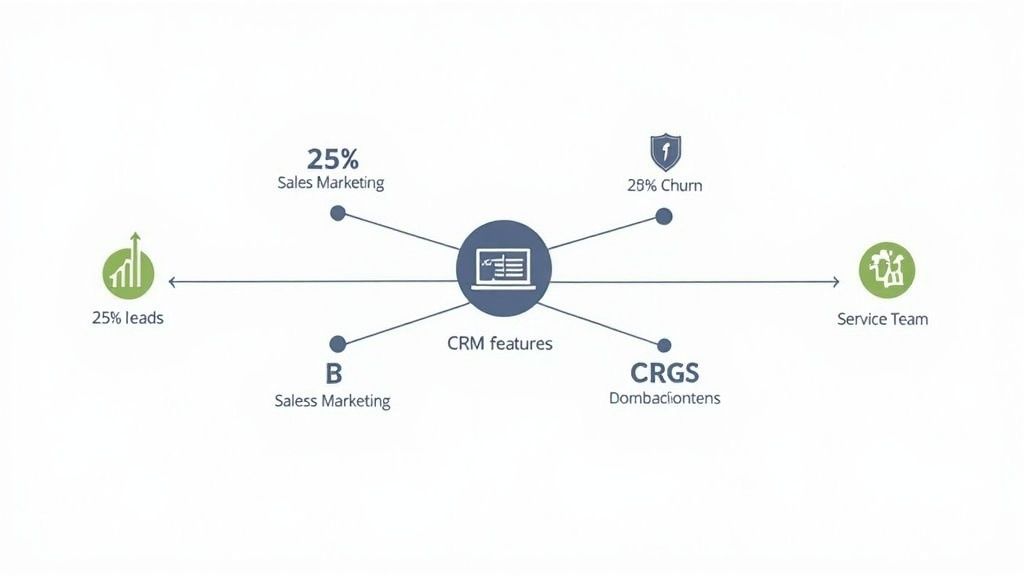
Getting your CRM to play nicely with the rest of your stack is more than a checkbox exercise—it’s what makes adoption click. You’ll want to balance feature wish lists with hard technical fit.
In practice, that means ensuring smooth data flows between:
- ERP systems for up-to-the-second inventory and order info
- Marketing automation platforms to centralize campaign performance and lead scores
- Support ticketing tools so reps see case histories and SLAs right in their workflow
- Data warehouses for consolidated reporting and cross-team analytics
I once helped a services firm link ticketing and sales data—response times plummeted by 40% overnight.
Before you dive into demos, run through this integration readiness checklist:
- API endpoints and payload schemas
- Catalog of pre-built connectors
- Mobile SDK availability and offline sync support
Integration Roadmap Example
A mid-market manufacturer I partnered with mapped integrations across three phases in 90 days:
- Phase 1: Sync customer records between ERP and CRM to eliminate duplicates
- Phase 2: Tie marketing emails back to contact profiles for personalized outreach
- Phase 3: Surface support tickets in customer timelines for seamless service handoffs
By vetting API availability and connector libraries up front, they slashed custom development risks. They also validated security standards, compliance certifications, and mobile performance at each milestone.
Performance And Migration Plan
Swapping CRMs doesn’t have to bring everything to a halt. A smart migration plan keeps people selling, not troubleshooting.
Key activities include:
- Data mapping sessions and cleaning rules alignment
- Sandbox migrations with record reconciliation
- Cutovers scheduled in low-activity windows
- Post-migration integrity checks and rollback plans
Real-device testing under peak-load scenarios uncovers UI slowdowns. In fact, enabling offline modes can lift mobile-team productivity by 20% where connectivity falters.
Impact Opportunity Avoid custom development costs by 30% when integrations are validated early.
For detailed guidelines on API best practices, check out our CRM integration services at Prometheus Agency.
Security And Compliance
Security isn’t optional—it’s your peace of mind. Make sure your vendor supports:
- Encryption at rest and in transit
- Multi-factor authentication on all user logins
- Role-based permissions tied to job functions
- Audit trails and logging for compliance audits
Look for SOC 2, GDPR or HIPAA attestations that match your industry requirements.
Final Thoughts On Technical Fit
Nail these technical criteria early and you’ll avoid nasty surprises down the road. Document your API needs and performance benchmarks in a shared spec. That transparency builds stakeholder confidence and keeps your CRM roadmap on track.
Key Takeaways
- Align integrations with ERP, marketing tools, support systems, and data warehouses
- Confirm APIs and connectors early to cut custom code overhead
- Plan performance tests and offline sync to support remote teams
- Validate security protocols and compliance before go-live
Practical Example From The Field
A B2B services firm I advised wrapped ERP and ticketing integrations in just two agile sprints. The result?
- Real-time sync prevented data gaps, saving 10 hours weekly in support handoffs
- Pre-built connectors eliminated custom scripts and reduced maintenance by 25%
Those wins freed teams for higher-value, revenue-driving work.
Optimizing Technical Fit
Start with integrations that deliver quick wins and expand from there. During trials, monitor system logs and performance dashboards to spot bottlenecks.
- Automate health checks for API error rates
- Trigger SLA alerts when response times spike
- Keep a rollback plan for any critical integration failures
This operational layer ensures high uptime—and earns trust from stakeholders.
Next, you’ll apply these criteria to build your vendor scoring matrix and design a pilot plan. That way, your CRM selection solves real problems, not just looks good on paper.
Compare Vendors Using A Scoring Matrix
Sitting through CRM demos can blur the line between must-haves and nice-to-haves. A scoring matrix shines a light on what really matters by assigning weights to each feature, integration point, and cost factor. Once everything is on the same scale, the top contenders practically jump off the page.
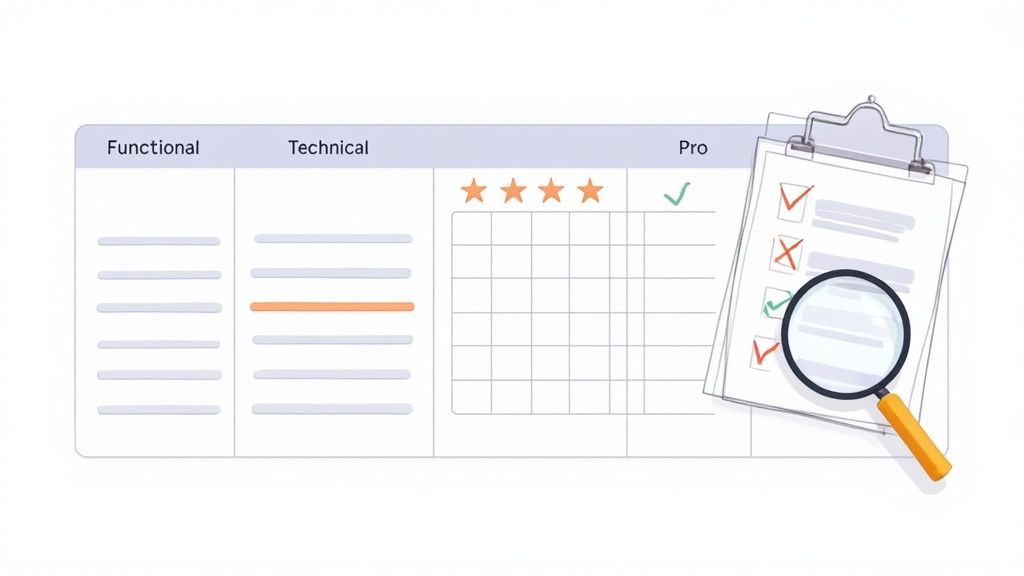
Functional fit, technical integration, user experience, and total cost form the backbone of this approach. You might decide that predictive lead scoring deserves more weight than optional UX polish. These percentages keep your team aligned around measurable ROI.
- Functional Fit: Maps core workflows and automations
- Technical Integration: Checks APIs, prebuilt connectors, migration paths
- User Experience: Rates UI clarity, mobile responsiveness, ease of use
- Financials: Compares subscription tiers, hidden fees, renewal terms
Vendors often describe similar features in their own jargon. Normalizing those labels ensures you’re comparing apples to apples.
- Align vendor terms with your requirement inventory
- Clarify ambiguous items like “campaign builder” versus “marketing automation”
- Break down quotes into standardized cost line items
Building Your Scoring Template
Start with the full list you gathered during discovery. Then assign weightings that reflect impact on revenue, efficiency, or adoption. For instance, you might dedicate 40% of your score to functional fit if automation drives your growth.
| Category | Weight | Example Metric |
|---|---|---|
| Functional Fit | 40% | Number of required automations |
| Technical Integration | 30% | Count of prebuilt connectors |
| User Experience | 20% | Mobile performance rating |
| Financials | 10% | Total cost of ownership (TCO) |
Score each vendor on a 1–5 scale and multiply by the weight to normalize results. This highlights trade-offs—like a lower-priced CRM that misses a critical API.
In one mid-market case, Vendor B’s strong ERP integration lifted its overall score by 18% over Vendor A’s advanced analytics but weaker connectors.
Negotiation Insight
Volume tiers and customized payment schedules can shift the financial score more than you might expect.
Evaluate Demo And Normalize Scores
Consistency is crucial when you run through demos. Use the same script—say, “trigger an internal alert from a deal-stage change”—to compare response times and setup steps. Capture screenshots or quick clips, then fold those observations back into your weighted matrix.
- Use an identical demo outline for every vendor
- Record setup speed and user flow complexity
- Rate each demo against your scoring template
Balance those numbers with qualitative notes. A tool can shine on paper yet feel clunky in real life.
Negotiation levers extend beyond sticker price. Ask for service credits on missed SLAs, extra onboarding hours, or custom training bundles. Adjust your financial weightings to factor in these add-ons.
Check out our Salesforce vs HubSpot guide for pricing insights and feature comparisons to refine your weighting decisions.
Negotiation And Contract Terms
Before you sign, map all the ways you can optimize costs and protect your team.
- Volume discounts by user tiers
- Service credits when SLAs aren’t met
- Flexible renewal, exit clauses, and product-roadmap commitments
A comparison table makes it easy to spot which vendor offers the best mix of support hours and penalty terms.
| Leverage Point | Benefit |
|---|---|
| Volume Discounts | Up to 20% off annual fees |
| Service Credits | Compensation for SLA failures |
| Dedicated Support Hours | 10 extra hours in the first year |
Lock every negotiated detail into one memo. Share it with legal and procurement to avoid any last-minute surprises.
Drop your final dashboard—complete with weighted scores and net totals—into your team wiki. Decision-makers will appreciate having priorities displayed at a glance.
Key Takeaways
- Structured weightings remove bias in CRM comparisons
- Pairing demos with scores uncovers hidden limitations
- Service credits, training bundles, and volume tiers can reshape TCO
Practical Examples
- A B2B services team boosted integration scores by 25% after securing a custom connector pre-launch.
- A SaaS vendor added six extra onboarding hours, lifting adoption rates by 30%.
- One manufacturing client leveraged a multi-year contract to cut pricing by 15%.
Impact Opportunity
A solid scoring matrix can slash vendor selection time by 40% and reveal cost-saving levers worth $50K a year. Keep this framework on hand for faster, more consistent CRM decisions down the road.
Pilot CRM And Build An ROI Model
Before committing to a full deployment, run a focused pilot to uncover hidden costs and validate vendor promises.
Think of it as a mini proof-of-concept that touches on your core sales, service, and marketing workflows.
Real users will push the system through everyday tasks, flagging usability hiccups and integration gaps before they become expensive surprises.
In one engagement, a three-week test with ten power users exposed a missing API endpoint—saving nearly $15k in custom development fees.
Running this low-risk trial is one of the smartest ways to choose a CRM that actually fits how your team works.
Pilot Charter And Feedback Template
A crisp charter keeps your pilot on track. It should spell out scope, objectives, and what success looks like.
- Objectives: Pinpoint KPIs such as lead response time or deal cycle length
- Scope: List the modules under test—opportunity tracking, case management, etc.
- Timeline: Map kickoff, midpoint reviews, and final wrap-up sessions
To turn observations into action, embed structured feedback loops:
- Pre-pilot alignment session with stakeholders
- Mid-pilot status check to surface roadblocks
- Post-pilot workshop showcasing hard metrics
This cadence ensures you catch issues early and build stakeholder confidence.
ROI Model Components
Once your pilot yields data, translate it into financial impact. Focus on three buckets:
| Metric | Definition |
|---|---|
| Time Savings | Hours saved through automation |
| Additional Revenue | New sales driven by improved processes |
| Total Cost Of Ownership | Licensing plus support and training |
Quantify conservatively. For example, automating data entry might free up 8 hours per rep per month—about $2,400 in labor savings.
Mapping these figures paints a clear picture of value. Share the model with leadership to lock in budget.
Calculating Pilot ROI
Start by benchmarking current performance: cycle times, support ticket durations, and so on. After the pilot, slot real results into your forecast.
Here’s a straightforward formula:
ROI (%) = (Net Benefits – Pilot Costs) / Pilot Costs * 100
Hitting a solid positive—say 120%—makes a powerful case for scaling up.
Refining Implementation Plan
Gather your cross-functional team to unpack pilot findings and refine the rollout:
- Reorder training sessions around early pain points
- Boost support for teams facing integration hiccups
- Phase data migration to minimize downtime
This updated timeline, complete with clear milestones, sets you up for a smoother launch.
Pilot Outcome Comparison
Nothing drives the point home like before-and-after numbers:
| Aspect | Baseline | Pilot Result |
|---|---|---|
| Lead Response Time | 24 hours | 15 hours |
| Data Entry Effort | 10 hours/week | 4 hours/week |
| Support Escalations | 5/week | 3/week |
This side-by-side snapshot validates your ROI model and wins buy-in.
Data Driven Feedback Loops
Build micro-surveys right into the pilot. Track Net Promoter Score and task completion rates to gauge sentiment.
- Auto-send surveys after key workflow steps
- Generate a summary report at each checkpoint
Automated feedback highlights friction points in real time, so you can adjust on the fly.
Practical Examples
A B2B software provider tracked lead workflows and saw a 35% drop in follow-up delays. Two missing integrations surfaced and were fixed ahead of full deployment.
Meanwhile, a mid-market services team leveraged our feedback template to overhaul case escalations—first-response times plunged by 42%. Those wins secured executive approval in days.
Key Takeaways
- A pilot exposes integration gaps before major spend
- Simple ROI models link time savings and revenue
- Structured feedback loops drive clear next steps
Impact Opportunity
Running a pilot and building an ROI model doesn’t just reduce risk—it can cut your TCO by up to 30% and speed up a full rollout by around 20%.
Capturing these insights early turns your CRM investment from a leap of faith into a data-driven decision.
Archive all pilot learnings in a central wiki so the entire team can reference lessons at every stage.
Drive Change Management And Boost Adoption
Getting your team to embrace a new CRM isn’t just about ticking off tasks—it’s about winning hearts and minds. When adoption lags, those early pilot wins vanish and ROI stalls.
Executive sponsorship lays the groundwork by securing buy-in and resources. Clear training calendars set everyone’s expectations. Continuous feedback loops keep users engaged and feeling heard.
These combined actions have helped B2B teams lift CRM usage by over 40% in under three months. Focus on three pillars: guidance, recognition, and measurement.
Personalized Training And Support
When sales reps and managers recognize immediate value, they dive in faster. Tailor every session to the role at hand.
For instance, a services firm hosted separate workshops for account managers and trimmed onboarding time by 50%. Embedding short, in-app walkthroughs lets users learn the system right where they work.
- Bite-sized videos under 5 minutes
- Sandbox environments for real-world practice
- Weekly “office hours” drop-ins for follow-up questions
Building Change Champions
Nothing beats peer influence. Identify a few go-to people who genuinely enjoy learning new features. Arm them with deep product knowledge and empower them to assist teammates.
“Pairing executive sponsorship with grassroots champions boosted CRM logins by 35% in 60 days.”
Those early adopters share success stories at team huddles, creating social proof that using the CRM delivers real results.
Incentive Programs And Communication
Gamification isn’t just fun—it drives habits. One manufacturing client rolled out a quarterly leaderboard contest and saw 60% of users earn badges.
- Weekly progress emails showcasing top performers
- Small rewards like coffee vouchers or extra parking spots
- Public shout-outs in team meetings when milestones are hit
Pair incentives with a clear communication schedule. Outline training dates, feature launches, and feedback sessions so no one’s left wondering what’s next.
Tracking Adoption Metrics
You can’t manage what you don’t measure. Keep an eye on login frequency, feature usage, and task completion rates to spot friction points early. Real-time dashboards let stakeholders course-correct on the fly.
| Metric | Target Value |
|---|---|
| Weekly Active Users | 75% of all seats |
| Workflow Completion Rate | 85% of critical flows |
| Data Accuracy | 95% field accuracy |
Review these figures during weekly stand-ups. When a segment dips below target, trigger a coaching session or a quick refresher workshop.
Resistance often stems from unclear benefits or change fatigue. Address concerns one-on-one and highlight quick wins to build trust.
- Anonymous surveys for honest feedback
- Drop-in clinics for hands-on problem solving
- Spotlights on power users who overcome common hurdles
Revisit and tweak your change plan for any team showing low engagement.
Practical Examples
- A national bank launched a gamification challenge that lifted daily CRM logins by 45% in six weeks.
- A SaaS vendor appointed three regional champions, slashing support ticket response times by 30%.
- A manufacturing division held monthly office hours, doubling custom report usage.
Impact Opportunity
By blending these tactics, growth teams regularly see a 30% to 50% surge in adoption within three months. Strong change management not only accelerates ROI but also uncovers process efficiencies you didn’t know existed. Expect support tickets to drop by 25% and data-quality metrics to climb by 20% when you get this right.
Key Takeaways
- Role-based training can cut onboarding time by up to 50%
- Change champions and gamification boost engagement by over 35%
- Well-timed incentives and clear messaging drive usage by 60%
- Real-time metrics help you intervene before adoption stalls
Implement these elements in sequence, review results weekly, and adjust based on the data. You’ll turn CRM deployment into a cultural shift—one that sticks.
Continuous Engagement Strategies
Keeping momentum alive means ongoing support and celebration. Update in-app guides whenever you roll out new features. Run quarterly NPS surveys inside the CRM to catch pain points early.
- Rotate champions to spotlight different functions
- Publish monthly adoption dashboards
- Recognize top contributors in your company newsletter
This iterative approach keeps your CRM strategy flexible, growth-oriented, and resilient.
FAQ
When you’re sizing up a CRM pilot, budget questions always come up. In my work with mid-market teams, a solid pilot runs between $15,000 and $30,000. Here’s how it usually breaks down:
- License Fees (10 Users): $8,000–$12,000
- Training & Workshops: $4,000–$6,000
- Support & Contingency: $3,000–$6,000
Every vendor’s quote will vary, so refining these numbers early pays off when you need to prove ROI.
Migrating Legacy Spreadsheets
Nobody wants a week-long freeze on day-to-day operations. A phased migration keeps you live while you move data over. First, map the fields between your spreadsheets and the CRM. Then fire off imports in a sandbox to catch any mismatches.
- Clean up records in batches (keep each under 10,000 rows)
- Use the CRM’s import tools or simple scripts to automate
- Schedule the final switch during an off-peak window
“A phased migration cut downtime to under two hours for one services team.”
Early Adoption Metrics
Once your pilot is up, certain KPIs will shine a light on adoption hurdles. I track these closely in the first 90 days:
- Weekly Active Users: Target at least 70% of seats
- Workflow Completion Rate: Aim for 85% of tasks processed
- Field Accuracy: Keep data correctness above 95%
Watching those numbers uncover where your team needs extra coaching or where the system might be misconfigured.
Negotiating Vendor Terms
A bit of push on the contract side can yield serious savings. Here’s what to ask for:
- Multi-Year Volume Discounts: Typically 10–15% off
- Service Credits: Compensation for any missed SLAs
- Extra Onboarding Hours: Guardrails for your team’s ramp-up
Clear contract language now keeps surprises out of your costs later.
Practical Examples
- A B2B services firm identified $15k in hidden pilot expenses—and sidestepped them.
- A mid-market retailer slashed migration downtime by 60% with a quick sandbox dry-run.
Impact Opportunity
Pull together your budgeting, migration plan, adoption tracking, and contract terms—and you can cut project risk by 40% while accelerating value capture.
Contact Prometheus Agency for a Growth Audit